Proper lighting can significantly impact the quality of a webcam, even more than upgrading the camera itself. This guide compares five high-performance lighting options for streaming, video calls, gaming, and content creation. We prioritized soft, adjustable lighting, accurate color reproduction, practical mounting, and reliable control systems. Compact monitor lights are suitable for office workers and small desks, while larger panels and dual-light kits are better suited for serious streaming platforms. RGB models create ambiance, but aren't always the best choice for face lighting. Each recommendation includes key benefits, limitations, ideal use cases, and compatibility considerations.
Some links on this page are affiliate links. If you buy through them, we may earn a commission at no extra cost to you.
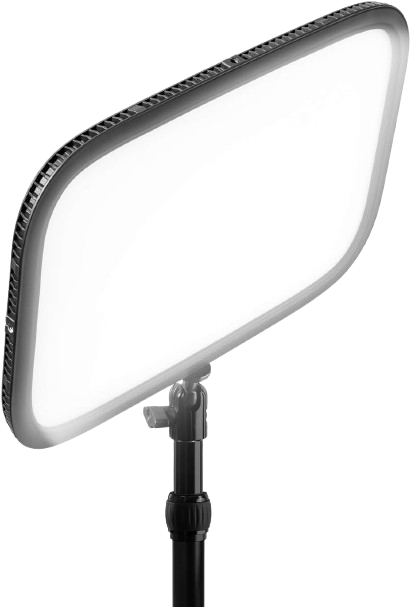
The Elgato Key Light is a large, edge-lit LED panel with up to 2,800 lumens, adjustable 2,900–7,000K color temperature, and app-based control. Its broad panel and included desk clamp make it a strong single-light solution for professional streaming, recording, and frequent video calls.
Why we love it
High maximum output gives it plenty of headroom for dim rooms, wider desks, and camera backgrounds.
The broad edge-lit panel produces softer illumination than a small point light.
Its 2,900–7,000K range accommodates warm rooms, neutral office lighting, and cooler daylight.
Wireless app control and Stream Deck integration make brightness changes convenient during a broadcast.
The included desk-clamp system saves floor space and allows the light to be positioned above or beside the monitor.
Watch out for
It is larger and less portable than compact monitor-mounted lights.
Maximum output requires substantial power, so it is better suited to a permanent desk setup.
Community feedback includes occasional concerns about Wi-Fi setup and connectivity.
Best for: Streamers and professionals who want one powerful, polished key light for both video calls and content creation.
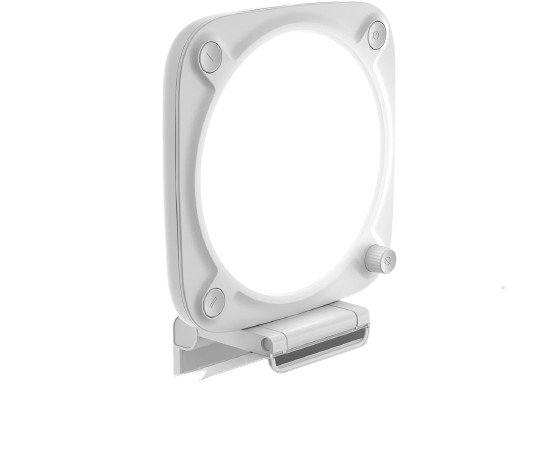
The Elgato Key Light Neo is a compact edge-lit panel designed to sit on a monitor or laptop, with adjustable 2,900–7,000K color and up to 1,000 lumens when supplied with enough power. Its simple controls, small footprint, and soft output make it particularly practical for home offices and small streaming desks.
Why we love it
The monitor-edge mount keeps the desk clear and works well in compact workspaces.
Edge lighting and diffusion help avoid the harsh appearance of a bare LED source.
Brightness and color temperature can be adjusted manually or through wireless control.
The 2,900–7,000K range provides useful flexibility for different rooms and skin tones.
It offers a stronger feature set than basic clip-on webcam lights without requiring a full studio stand.
Watch out for
Brightness depends on the power source: USB-A, USB-C, and a suitable external adapter produce different maximum levels.
Its compact panel is best for close-range face lighting, not illuminating a large room.
Some community users report difficulty retaining settings or keeping the light consistently off.
Best for: Office workers, students, and streamers who need soft lighting without sacrificing monitor or desk space.
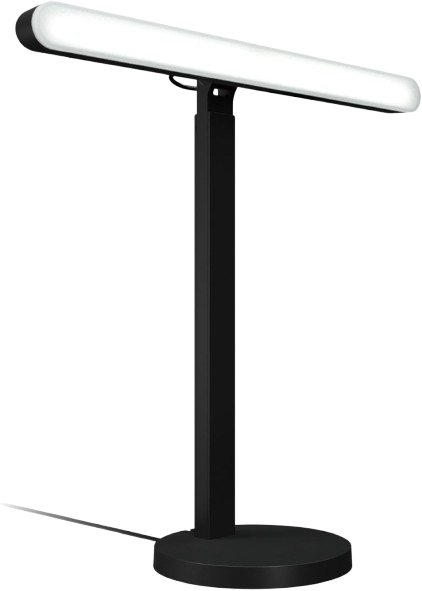
The Logitech G Litra Beam LX combines a front-facing TrueSoft key light with a rear-facing LIGHTSYNC RGB accent light. It offers adjustable 2,700–6,500K white lighting, onboard controls, Bluetooth, USB connectivity, and integration with compatible desktop lighting software.
Why we love it
The dual-sided design provides useful face lighting and colorful background illumination from one unit.
TrueSoft diffusion is designed to create even light with less severe facial shadowing.
The RGB side adds atmosphere without requiring a separate accent light.
Bluetooth and software control make it easy to adjust lighting without reaching behind the desk.
Its narrow bar format fits gaming desks where a wide rectangular panel may be inconvenient.
Watch out for
The 400-lumen white-light output is lower than the larger Elgato and NEEWER panels.
The RGB side is primarily an accent light, not a replacement for a second high-quality key light.
It uses dedicated power for lighting; the included data connection should not be treated as a universal USB-only power solution.
Best for: Gamers and streamers who want good face lighting plus coordinated RGB ambience.
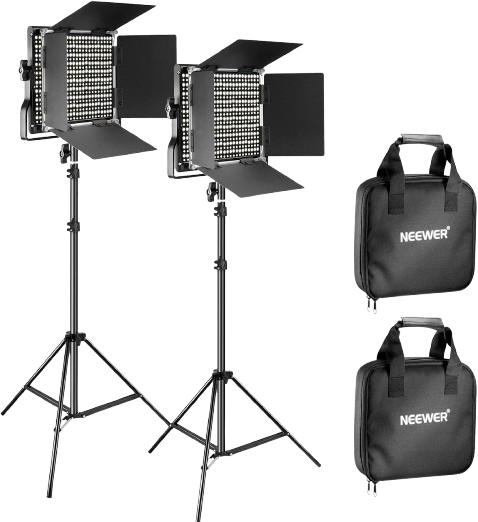
This kit includes two NL660-style LED panels, adjustable 3,200–5,600K color temperature, 0–100% dimming, high color-rendering performance, stands, and light-shaping barndoors. It is a more traditional studio solution that provides better control over shadows and background separation than a single monitor light.
Why we love it
Two panels make it possible to create a key-and-fill arrangement for more balanced faces.
Each panel uses 660 LEDs and is rated for approximately 3,300 lux at 1 meter.
The claimed CRI of 96 or higher supports more natural-looking skin tones and product colors.
Barndoors help limit spill and direct light toward the subject.
AC operation is included, while compatible NP-F batteries can add location flexibility.
Watch out for
The stands require more floor and storage space than desk-clamp lights.
NP-F batteries are not included, so portable operation adds to the total cost.
The 3,200–5,600K range is narrower than the color range offered by the Elgato panels.
Best for: Creators who want a complete two-light studio setup for streaming, interviews, and video production.
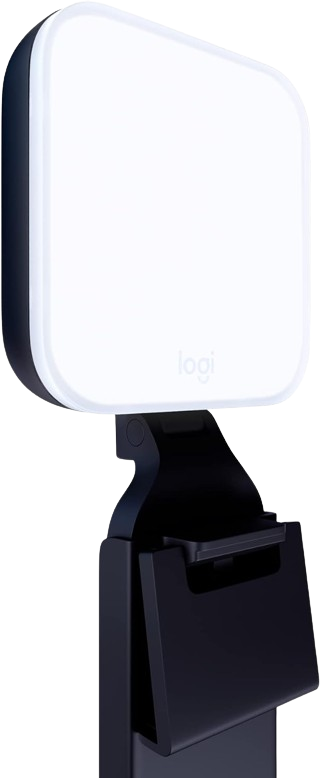
The Litra Glow is a compact monitor-mounted fill light with TrueSoft diffusion, adjustable brightness, and adjustable color temperature. Independent evaluations consistently describe it as easy to set up, portable, and effective for improving webcam lighting in calls and broadcasts.
Why we love it
The monitor clip makes installation quick and avoids using valuable desk space.
Its compact shape is easy to move between a desktop monitor and a laptop setup.
Adjustable brightness and color temperature help match the light to the room.
The diffused front surface produces a more comfortable look than an exposed point-source LED.
Its straightforward design suits video calls, presentations, online teaching, and basic streaming.
Watch out for
Its smaller panel and approximately 250-lumen output are better for close-range fill lighting than large-room illumination.
A small light positioned directly near the eyes may feel intense at higher brightness settings.
It offers less output and physical flexibility than a full-size desk-clamped panel.
Best for: Remote workers and frequent video callers who want an uncomplicated monitor light.
The Elgato Key Light deserves the top spot as it offers the best overall balance for streaming and video calls. Its 2800-lumen output provides significantly more headroom than compact webcam lights, and its wide, edge-lit panel is better suited for soft, even facial illumination. The 2900–7000K color range suits a wide range of rooms and camera configurations, and app control makes setup convenient during meetings or broadcasts. The tabletop mount also allows for a neater setup than a floor-standing studio setup. The main tradeoff is size and power consumption, but these are reasonable tradeoffs for users looking for a single, reliable light suitable for office calls, live streaming, recording, and large desktop setups. The combination of power, adjustability, mounting, and proven controls aimed at content creators gives it the most comprehensive feature set in this group.
How we picked
Product selection was based on independent, research-based analysis focused on streaming, video conferencing, and desktop content creation. We compared manufacturer specifications and details with professional product reviews, community discussions, long-term user reviews, and comparisons of brightness, color adjustment, light dispersion, controls, mounting, compatibility, reliability, and value. Priority was given to products with features and practical benefits that remain consistent across multiple sources, including proven LED panels, monitor-mounted luminaires, and complete dual-luminaire kits. We considered how each model performs in real-world settings: on a laptop or monitor, on a dedicated streaming desktop, in a gaming room, or in a small home office. Where sources differed, priority was given to the most recent manufacturer documentation and better-verified technical information. User reviews were used primarily to identify recurring issues with setup, software, power, and durability, rather than to treat individual opinions as definitive proof. Final ratings reflect overall usability, not just brightness.
Frequently Asked Questions
Prioritize a diffused panel, adjustable brightness, adjustable color temperature, and a mounting system that suits your desk. A color-rendering rating of at least 90 is a useful baseline, while a rating above 95 is preferable for natural skin tones and product colors. High brightness is helpful, but diffusion and positioning usually matter more than maximum output alone.
Neither design is automatically better. A diffused LED panel usually offers more flexible positioning and can create softer, more directional light, while a ring light places the camera in the center and can produce even front illumination. For glasses wearers, positioning a panel slightly to one side may make reflections easier to control.
A compact 250–1,000-lumen light is often sufficient when it is positioned close to your face in a moderately lit room. Larger rooms, darker backgrounds, and cameras positioned farther away benefit from a more powerful panel or two-light setup. Start at a low brightness level and increase it gradually to avoid a washed-out image.
One properly positioned key light is enough for most calls and solo streams. Two lights are preferable when you want to reduce shadows, separate yourself from the background, or record interviews and wider shots. The NEEWER kit is the most suitable option here for a conventional key-and-fill arrangement.
USB power is more convenient for laptops, small desks, and portable setups, but output may be limited by the computer port or charger. AC-powered lights generally provide more consistent maximum brightness. The Key Light Neo is a clear example: its output changes depending on whether it uses USB-A, USB-C, or a higher-power external adapter.
The Key Light Neo is the better choice when you want higher potential brightness, wireless control, and a broader 2,900–7,000K range. The Litra Glow is smaller, simpler, and well suited to ordinary office calls where close-range fill lighting is all that is required. Choose the Neo for more demanding streaming and the Litra Glow for portability and straightforward everyday use.