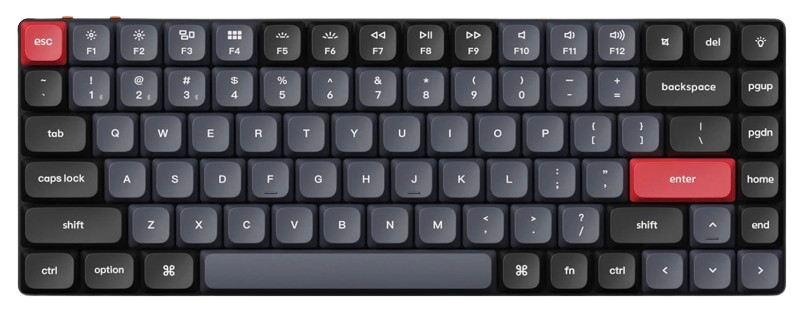
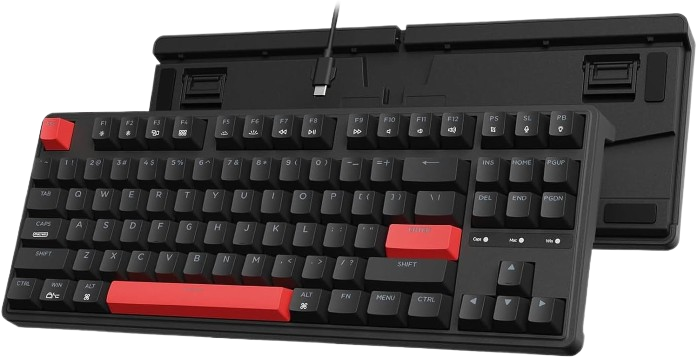
The best mechanical keyboards for Mac combine comfortable switches, reliable wireless connectivity, and full macOS support. Keychron, NuPhy, and Logitech offer some of the best options for a variety of workspaces and budgets. Low-profile models are ideal for MacBook users who prefer a laptop-like feel, while full-size keyboards offer greater key travel and more customization options. Recommendations include dedicated Mac keycaps, multi-device Bluetooth support, hot-swappable switches, or QMK/VIA key remapping. The right choice depends on what's most important to you: office comfort, responsiveness for gaming, portability, or enthusiast customization. This guide compares six widely available keyboards based on specifications, professional ratings, and user reviews over extended use.
Some links on this page are affiliate links. If you buy through them, we may earn a commission at no extra cost to you.
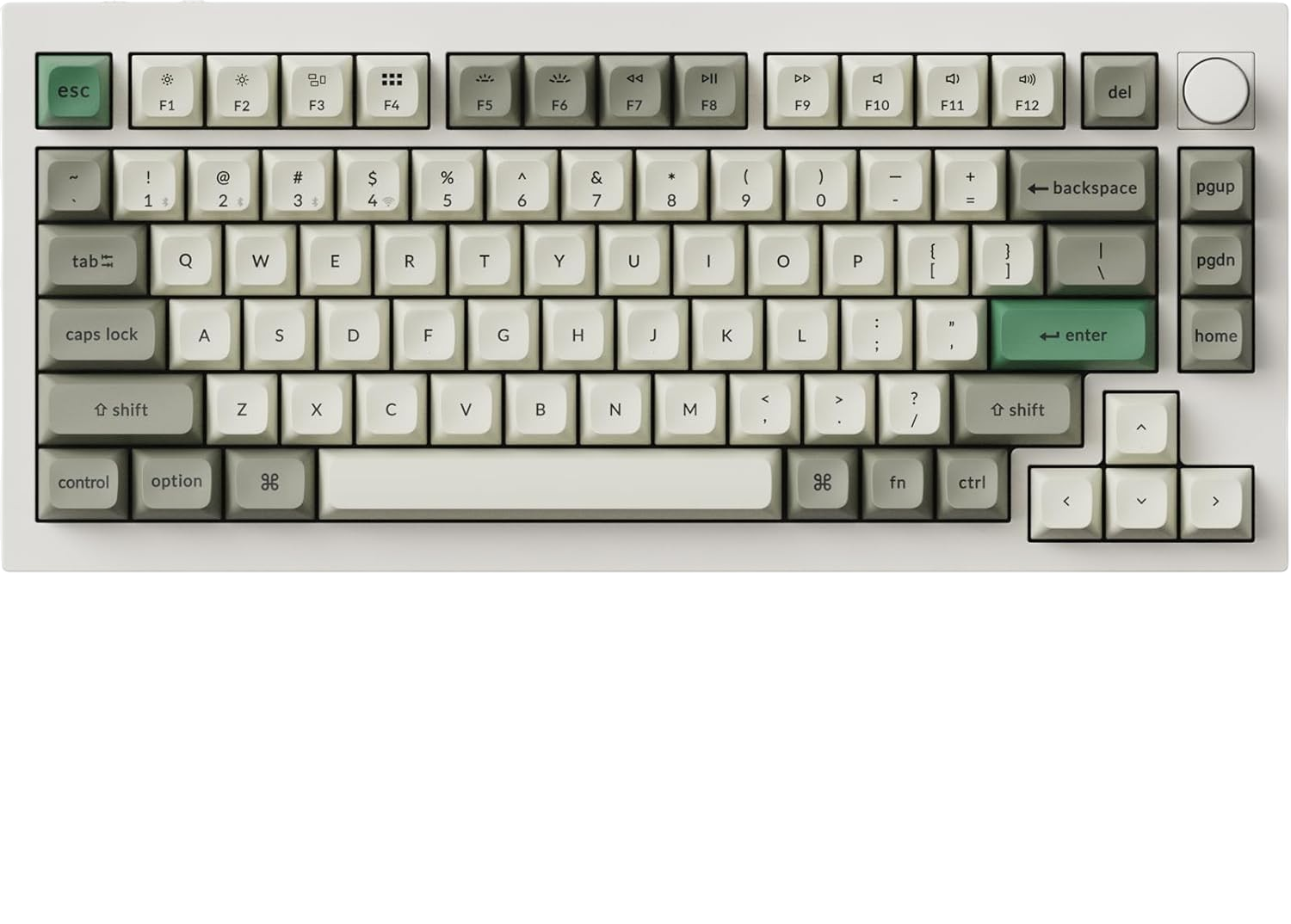
The Q1 Max is a premium 75% mechanical keyboard with an aluminum body, hot-swappable switches, QMK/VIA customization, and wired, Bluetooth, and 2.4GHz connectivity. It supports macOS, Windows, and Linux, while its 4000mAh battery and 1000Hz wired or 2.4GHz polling rate make it versatile for work and gaming.
Why we love it
Strong aluminum construction and a substantial, stable desktop feel.
Mac-compatible layout with support for macOS, Windows, and Linux.
QMK/VIA enables extensive remapping and macro customization.
Hot-swappable switches make future upgrades easier.
Tri-mode connectivity covers wired, Bluetooth, and low-latency wireless use.
Watch out for
Its tall profile may require a wrist rest.
The 75% layout omits a dedicated number pad.
The fully assembled version is relatively heavy.
Best for: Users who want one highly customizable mechanical keyboard for Mac work, gaming, and long-term ownership.
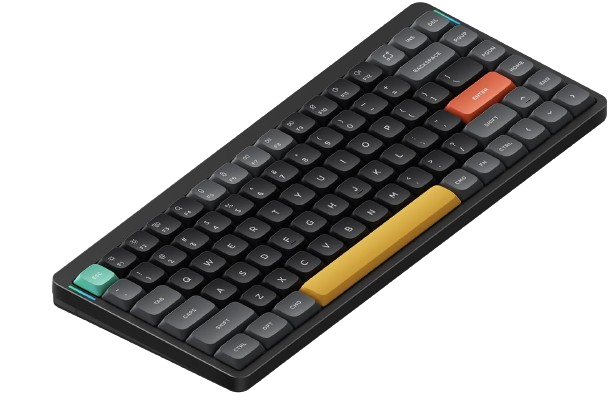
The Air75 V2 is a compact low-profile keyboard designed for users who want mechanical switches without moving far from a laptop-style typing position. Its 75% layout preserves the function row and navigation controls while keeping the board portable and desk-friendly.
Why we love it
Low-profile design is a natural transition from a MacBook keyboard.
Compact 75% layout retains useful navigation and function keys.
Wireless and wired operation suit mobile and desktop setups.
Available low-profile switch choices provide different sound and resistance.
Strong balance of portability, typing comfort, and customization.
Watch out for
Low-profile switches have fewer replacement options than standard switches.
Compact layouts may require adjustment for navigation and editing shortcuts.
Some configurations use keycaps that may be harder to replace.
Best for: MacBook users who want a portable mechanical keyboard with a familiar low-profile feel.
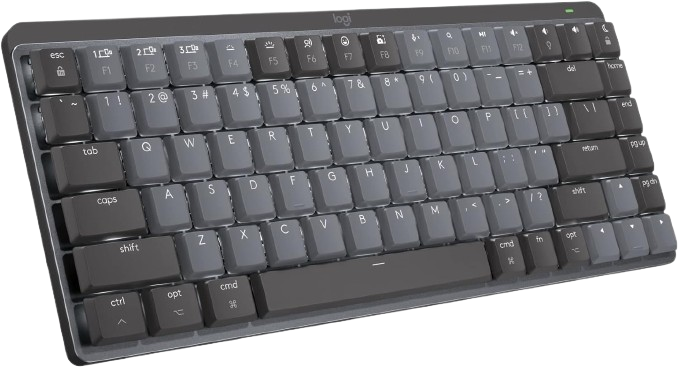
The MX Mechanical Mini for Mac combines a dedicated Mac layout with low-profile Tactile Quiet switches, smart backlighting, and Bluetooth connectivity for up to three devices. Logitech states that it can run for up to 15 days with backlighting enabled or up to 10 months with backlighting off, with a 15-minute charge providing up to a day of use.
Why we love it
Dedicated Mac key layout reduces setup friction.
Tactile Quiet switches are designed for a lower-noise office experience.
Smart backlighting adjusts to ambient conditions and hand proximity.
Bluetooth switching supports up to three devices.
Companion software offers remapping, profiles, and battery monitoring.
Watch out for
It does not offer the same switch-swapping flexibility as enthusiast boards.
The compact layout lacks a dedicated number pad.
Software-based customization is less open-ended than QMK/VIA.
Best for: Office users who want a polished, quiet, low-profile Mac keyboard with simple multi-device switching.
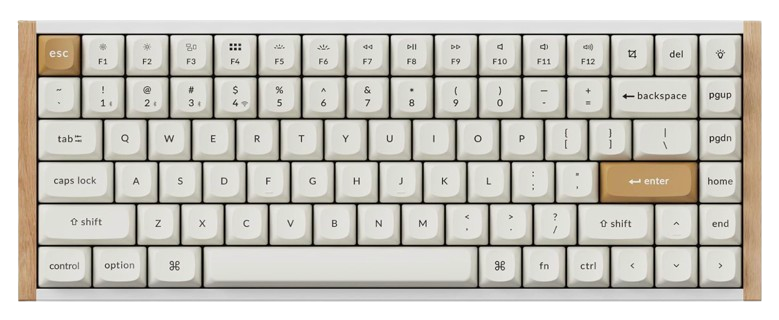
The K2 HE is a 75% wireless magnetic-switch keyboard with adjustable actuation, rapid-trigger functionality, QMK support, and wired, Bluetooth, and 2.4GHz connectivity. It supports macOS and offers up to 1000Hz polling over wired and 2.4GHz connections, making it the most gaming-focused recommendation here.
Why we love it
Adjustable actuation points allow a more personalized key response.
Rapid Trigger is useful for fast repeated inputs.
75% layout preserves important function and navigation keys.
Tri-mode connectivity works across Mac, Windows, and Linux.
QMK support and hot-swappable magnetic switches add flexibility.
Watch out for
Replacement switches must be compatible with its magnetic-switch system.
Advanced configuration may take more time to learn.
Gaming features matter less for ordinary office typing.
Best for: Mac users who want adjustable magnetic switches and gaming-oriented responsiveness.
The K3 Pro is an ultra-slim low-profile keyboard with a compact layout, Bluetooth and USB-C connectivity, Mac compatibility, and QMK/VIA remapping support. Its low-profile form factor and included Mac and Windows keycaps make it a practical option for laptop users and smaller desks.
Why we love it
Slim design fits compact desks and mobile workstations.
Mac and Windows compatibility is built into the layout.
QMK/VIA provides more customization than typical office keyboards.
The C3 Pro is a straightforward wired mechanical keyboard aimed at buyers who want a lower-cost entry into customizable layouts. It offers a tenkeyless design, Mac compatibility, and QMK/VIA-based remapping without the added cost or maintenance considerations of wireless hardware.
Why we love it
Wired operation avoids battery charging and wireless pairing issues.
Tenkeyless layout leaves useful navigation and function keys intact.
QMK/VIA customization is unusual at this price level.
Mac compatibility supports common Apple modifier-key workflows.
A sensible starting point for first-time mechanical-keyboard buyers.
Watch out for
The cable is required for every setup.
Construction is less premium than an aluminum enthusiast board.
It occupies more desk space than a 60% or low-profile model.
Best for: Budget-conscious Mac users who prioritize reliable wired typing and programmable controls.
The Keychron Q1 Max keyboard deserves the top spot because it offers the best combination of features for Mac users who want a keyboard that will grow with them. Its 75% layout preserves the function row and primary navigation keys without taking up the space of a full-size keyboard. Its aluminum construction, hot-swappable switches, QMK/VIA support, Mac compatibility, and three connection modes provide ample options for enthusiasts, office work, and gaming. A 4000 mAh battery and 1000 Hz polling rate on wired or 2.4 GHz connections also give it exceptional performance potential. The Q1 Max isn't the smallest, quietest, or cheapest option, and its tall profile may require ergonomic adjustment. However, it avoids the biggest compromises found in more specialized alternatives, making it a solid recommendation for buyers looking for a single, durable, and flexible mechanical keyboard for a Mac-focused setup.
How we picked
We selected these keyboards based on independent, research-based product analysis focused on real-world Mac use. This process included cross-checking manufacturer specifications, official technical documentation, independent professional product evaluations, long-term user reviews, enthusiast community discussions, and category comparisons. We assessed each model's macOS compatibility, modifier key placement, connectivity options, switch selection, key feel, claimed battery performance, key remapping support, build quality, portability, warranty coverage, and overall value. We paid special attention to whether the keyboard supported Mac keycaps and included appropriate Mac keycaps or operating system controls. We prioritized information that appeared consistently across multiple independent sources rather than relying on a single review or individual user comment. Where sources differed, we prioritized the most reliable and up-to-date technical information and avoided unverified performance claims. Ratings reflect the balance of features, usability, reliability, compatibility, and value to the intended user, rather than simply the number of included specifications.
Frequently Asked Questions
Check that the keyboard explicitly supports macOS and offers the correct Command and Option key functions. Also consider layout, switch type, connection method, battery life, remapping software, and whether Mac keycaps are included. A hot-swappable model is useful if you may want to change switches later.
Most USB and Bluetooth mechanical keyboards work with macOS for basic typing, but compatibility varies for media keys, function-row behavior, modifier placement, and remapping. Keyboards designed for both Mac and Windows generally include an operating-system switch or configurable layouts. Check the manufacturer’s macOS support before buying.
Bluetooth is convenient for office work, tablets, and switching between devices. A 2.4GHz connection generally offers lower latency and is preferable for gaming, but it requires a receiver and may be less convenient with some Mac setups. Wired USB remains the simplest option for maximum reliability.
Low-profile boards are often easier for MacBook users to adapt to because their keys sit closer to a laptop keyboard’s height and travel. They are usually thinner and more portable, but they offer fewer switch and keycap choices than standard-height mechanical keyboards. Choose standard profile if deeper travel and enthusiast customization matter more than portability.
QMK/VIA usually provides deeper keyboard-level customization, including layers, macros, and per-key remapping that can work independently of a particular computer. Companion software is often easier for beginners and may provide device-specific profiles or smart actions. Choose QMK/VIA for control and long-term flexibility; choose companion software for simplicity.
A more expensive model can justify its cost through better construction, hot-swappable switches, improved stabilizers, stronger firmware support, and more connection options. However, price alone does not guarantee a better Mac experience. A wired or low-profile model can deliver better value if you do not need premium materials, wireless connectivity, or extensive customization.