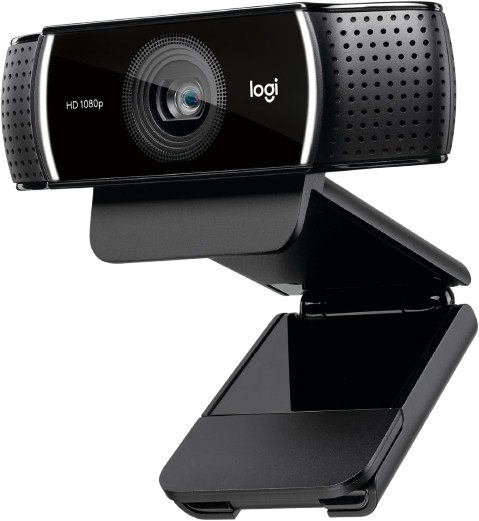
The best streaming webcams deliver sharp video, dependable autofocus, and smooth frame rates without requiring a dedicated camera setup. We compared popular models from Logitech, Elgato, and Insta360 across image quality, streaming features, software, connectivity, and value. Our picks include premium 4K cameras, creator-focused 1080p models, and a reliable budget option. Whether you stream on Twitch, YouTube, or Discord, there is a practical choice here for your setup.
Some links on this page are affiliate links. If you buy through them, we may earn a commission at no extra cost to you.
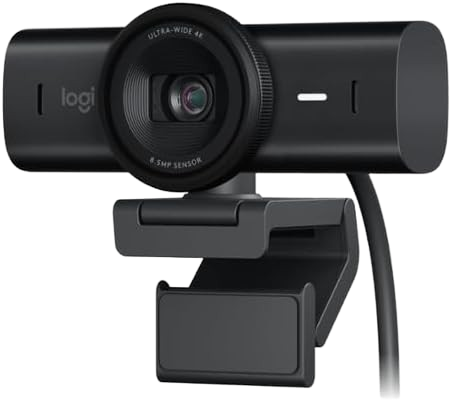
The Logitech MX Brio is a premium 4K webcam that combines detailed video with 1080p recording at 60 frames per second. It also includes a privacy shutter, USB-C connectivity, dual beamforming microphones, 4x digital zoom, and a Show Mode designed for presenting objects on a desk.
Why we love it
4K at 30fps and 1080p at 60fps give streamers flexible quality options.
The 8.5-megapixel Sony STARVIS sensor provides plenty of detail for cropped layouts and close-up content.
A built-in privacy shutter is convenient for streamers who leave the webcam mounted.
USB-C, a tripod mount, and a detachable cable make it easier to integrate into a permanent setup.
Logitech’s software provides control over exposure, color, framing, and other image settings.
Watch out for
4K streaming requires more bandwidth and processing power than 1080p.
The premium price is difficult to justify if your stream output is limited to 1080p.
Built-in microphones are useful for calls but are not a replacement for a dedicated streaming microphone.
Best for: Streamers who want excellent 4K detail, flexible 1080p60 output, and strong all-around features.
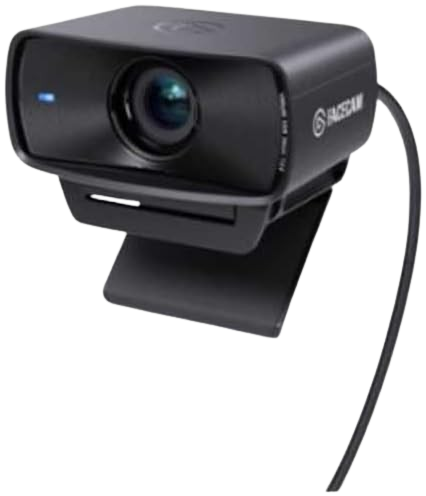
The Elgato Facecam MK.2 is a creator-focused 1080p webcam with 60fps video, HDR, DSLR-style image controls, and an 84-degree field of view. Its fixed-focus lens is designed for a consistent desk-based streaming position rather than frequent movement toward and away from the camera.
Why we love it
Uncompressed 1080p60 video is well suited to Twitch, YouTube, and game streaming.
HDR can help preserve detail when a bright monitor or window is visible behind the streamer.
DSLR-style controls allow more precise adjustments than typical plug-and-play webcams.
The 84-degree field of view works well for single-person shots and moderately wide desk scenes.
Elgato’s Camera Hub software integrates naturally with other creator-focused equipment.
Watch out for
The fixed-focus lens is less forgiving if you regularly move closer to or farther from the camera.
It does not offer 4K video.
A dedicated microphone is recommended because the webcam is primarily focused on video quality.
Best for: Streamers who want polished 1080p60 video and detailed manual controls.
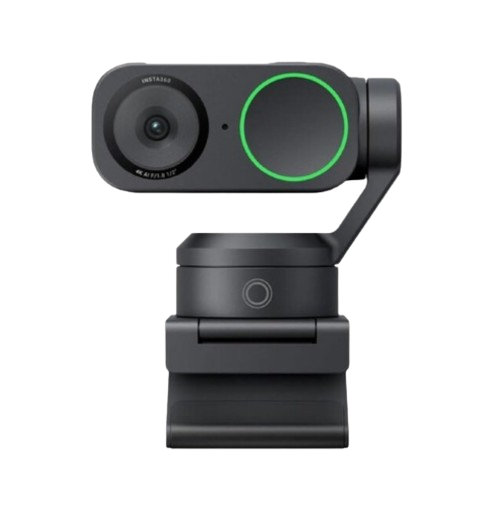
The Insta360 Link 2 combines 4K video with a two-axis gimbal, AI tracking, gesture control, and specialized shooting modes. It is particularly useful for creators who move around, demonstrate products, teach, or switch between a traditional face shot and desk-focused content.
Why we love it
4K capture provides extra detail for recordings, tutorials, and cropped streaming layouts.
AI tracking can keep the subject centered while they move around the frame.
The gimbal design is more responsive and natural than software-only digital tracking.
Gesture controls can be useful when the streamer cannot reach the keyboard or mouse.
Specialized modes make it more versatile for teaching, unboxings, presentations, and vertical content.
Watch out for
Gimbal movement can be distracting if you prefer a static, traditional webcam image.
AI tracking and advanced modes require time to configure properly.
The additional hardware and software features make it more expensive than a basic 1080p webcam.
Best for: Mobile streamers, educators, and creators who need tracking or desk-view flexibility.
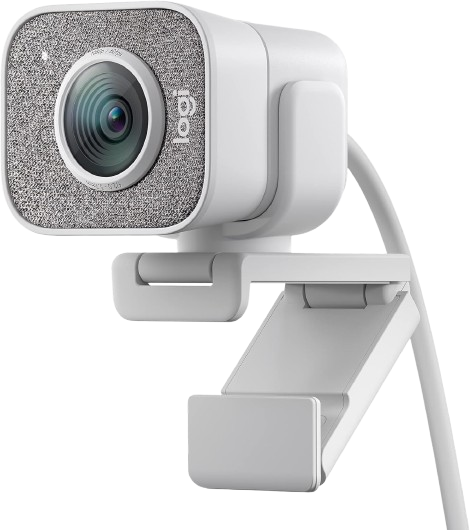
The Logitech StreamCam remains a straightforward choice for creators who want smooth 1080p video at 60fps, autofocus, and a compact design. It is designed specifically for streaming and content creation, with both horizontal and vertical mounting options.
Why we love it
1080p60 video produces smoother motion than most budget 1080p webcams.
Autofocus is useful for creators who occasionally move during streams.
The glass lens delivers a cleaner image than many inexpensive plastic-lens webcams.
The compact body is easy to mount above a monitor or on a small tripod.
Vertical mounting is useful for Shorts, Reels, TikTok, and other portrait-oriented content.
Watch out for
It does not offer 4K resolution.
Image quality depends heavily on having adequate lighting.
USB-C connectivity may require an adapter on older computers or hubs.
Best for: New and intermediate streamers who want smooth 1080p60 video without premium pricing.
The Logitech C922x Pro is a proven entry-level streaming webcam with 1080p video at 30fps or 720p at 60fps. It is widely used for Twitch, video calls, and casual content creation, making it a sensible option when budget matters more than maximum image quality.
Why we love it
Full HD 1080p capture is adequate for most facecam layouts.
The 720p60 mode provides smoother motion when 60fps matters more than resolution.
Autofocus and automatic light correction simplify setup for beginners.
It works with common streaming and video-call software without requiring a specialized workflow.
The established design has extensive user feedback and broad accessory compatibility.
Watch out for
It cannot record 1080p at 60fps.
Low-light video can look noisy or overly processed without a front-facing light.
The built-in microphones are best treated as a backup rather than a primary audio source.
Best for: Beginners who want a dependable, affordable webcam for Twitch or casual YouTube streaming.
The Logitech MX Brio deserves first place because it offers the strongest balance of image quality, frame-rate flexibility, setup convenience, and long-term usefulness. Its 4K30 mode provides extra detail for recordings, tutorials, and cropped layouts, while 1080p60 is better suited to smooth live streaming. The built-in privacy shutter, USB-C connection, tripod support, adjustable controls, and Show Mode add practical value beyond resolution alone. It is also more versatile than a fixed-focus 1080p webcam, making it suitable for both streaming and everyday video calls. The MX Brio is not the cheapest option, and a dedicated microphone is still preferable for serious broadcasts. However, its combination of 4K capture, 1080p60 output, useful software controls, and modern connectivity makes it the most complete choice for most streamers.
How we picked
We selected webcams currently available on Amazon US and with a strong reputation based on professional reviews, manufacturer documentation, and long-term user feedback. The comparison focused on features most important for live streaming: image clarity, frame rate, low-light performance, autofocus or tracking, viewing angle, software controls, mounting flexibility, microphone quality, and compatibility with platforms like OBS, Twitch, YouTube, Zoom, and Discord. We also considered whether the product's price was justified by its real advantages over cheaper alternatives. Models with useful privacy features, a reliable USB connection, and consistent customer reviews received additional consideration. Recommendations are based on manufacturer specifications, expert reviews, long-term user feedback, and feature comparisons, not on personal testing. Community discussions were used as a secondary source to identify recurring strengths and weaknesses, not as a substitute for technical testing. Prices, availability, and ratings on Amazon are subject to change, so check the current listing before purchasing.