Best Budget Mouse: 6 Affordable Picks That Actually Deliver
The best budget mouse should feel dependable, comfortable, and accurate without inflating the price. This guide focuses on affordable Amazon US options with strong reputations, proven features, and consistently positive feedback.
Some links on this page are affiliate links. If you buy through them, we may earn a commission at no extra cost to you.
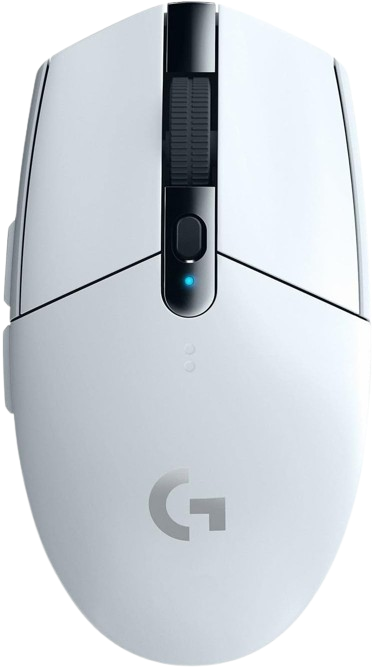
The G305 remains the safest budget mouse recommendation for most people because it combines reliable wireless performance with a proven shape and strong battery life. Expert reviews consistently praise its solid build and dependable sensor performance, and it has become a consensus value pick across review sites.
Why we love it
Reliable LIGHTSPEED wireless keeps latency low for daily work and gaming.
HERO sensor performance has earned strong long-term review coverage.
Excellent battery life makes it easy to live with.
Simple, comfortable shape works for many hand sizes.
Widely recommended by reviewers as the best budget wireless option.
Watch out for
Heavier than many newer lightweight mice.
Uses an AA battery instead of a rechargeable cell.
Shape may feel too plain if you want a more sculpted grip.
Best for: Users who want a no-drama wireless mouse for gaming, school, or everyday PC use.
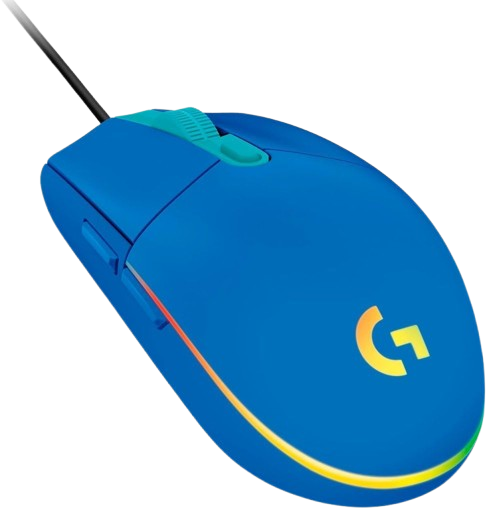
The G203 is one of the easiest affordable mice to recommend if you want a wired option that feels familiar and performs well. It offers a gaming-grade sensor, six programmable buttons, and a long track record of strong buyer feedback.
Why we love it
Very strong price-to-performance ratio.
Trusted Logitech software support and broad compatibility.
Six programmable buttons add flexibility for work or play.
Compact shape suits many claw and fingertip users.
Frequently recommended in budget mouse roundups.
Watch out for
Wired design limits desk flexibility.
Shape is smaller than some users prefer.
RGB and software may be unnecessary for basic office use.
Best for: Budget buyers who want dependable wired performance at a low price.
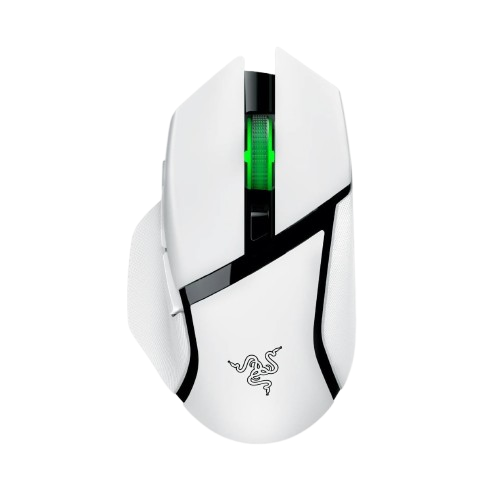
If you want a more feature-rich budget mouse, the Basilisk V3 X HyperSpeed gives you a comfortable ergonomic shape, wireless connectivity, and extra controls. Reviews and buyer feedback point to strong comfort and excellent battery life, though it is pricier than the simplest budget picks.
Why we love it
Ergonomic right-handed shape is comfortable for long sessions.
Dual wireless modes add flexibility.
Extra programmable controls make it useful for productivity and games.
Strong battery life is a practical advantage.
Well-reviewed for build quality and overall responsiveness.
Watch out for
Costs more than the cheapest budget alternatives.
Heavier than lightweight FPS-focused mice.
Right-handed design excludes left-handed users.
Best for: Users who want a comfortable wireless mouse with more buttons and better customization.
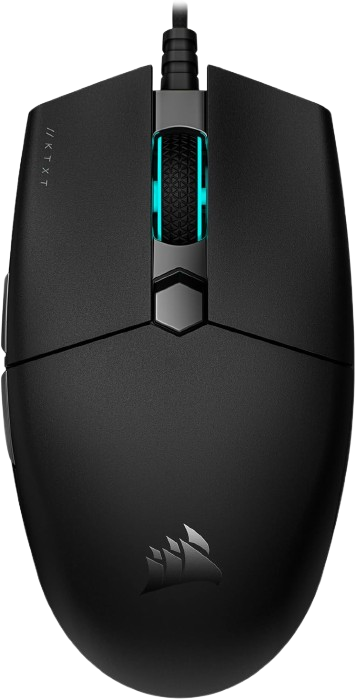
The KATAR PRO XT is a strong wired budget mouse for players who care about agility and a lighter feel. Corsair positions it as a compact FPS-friendly mouse, and its 73 g weight is a clear selling point at this price.
Why we love it
Very light for fast cursor movement.
Compact symmetrical shape is easy to maneuver.
Paracord-style cable helps reduce drag.
Sensor and button count are competitive for the price.
Frequently praised as a good value FPS mouse.
Watch out for
Smaller shape is not ideal for everyone.
Wired only.
Fewer features than larger all-purpose mice.
Best for: Claw and fingertip grip users who want a lightweight wired mouse.
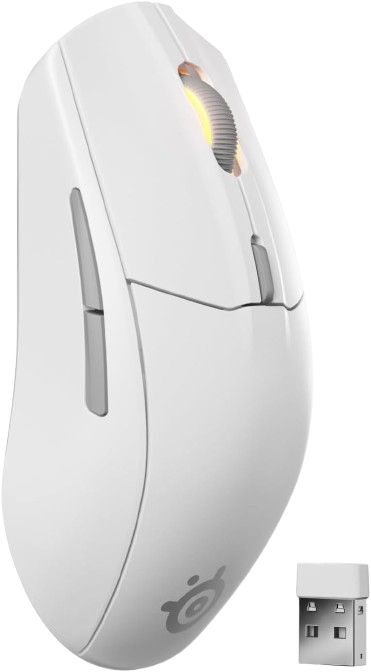
The Rival 3 Wireless stands out for shoppers who want long battery life and flexible connectivity at a fair price. SteelSeries’ specs and retailer feedback make it a compelling low-cost wireless alternative, especially for mixed work and casual gaming use.
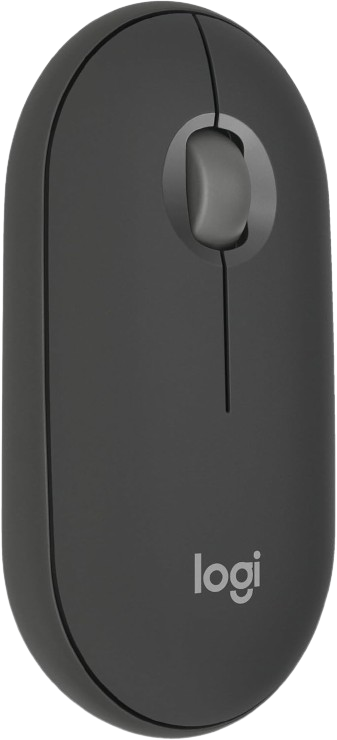
The Pebble Mouse 2 M350s is a practical pick for travel, office work, and quiet environments. Its slim design, easy device switching, and quiet clicks make it a strong everyday companion for people who care more about portability than gaming features.
Why we love it
Slim, lightweight design is easy to carry.
Quiet clicks are ideal for shared spaces.
Easy-Switch support helps when using multiple devices.
Simple Bluetooth setup works across common platforms.
Logitech’s ecosystem is familiar and easy to live with.
Watch out for
Not the best choice for gaming.
Small size can be uncomfortable for large hands.
Limited physical controls compared with gaming mice.
Best for: Travelers and office users who want a quiet, compact Bluetooth mouse.
The Logitech G305 LIGHTSPEED takes first place because it gets the basics right better than anything else in this price range. It offers dependable wireless performance, a proven shape, excellent battery life, and a long record of strong expert and user feedback. That combination matters more than flashy specs when you are buying on a budget. It is versatile enough for office work, casual gaming, and everyday browsing, which makes it the least risky recommendation. For most shoppers, it is the mouse that delivers the best balance of quality, price, and long-term satisfaction.
How we picked
We selected these mice by comparing current Amazon US listings with manufacturer specifications, professional reviews, and long-term user feedback across major retailers and discussion forums. The goal was to find models that repeatedly show up in expert roundups and user recommendations, while avoiding speculative picks or products with unclear availability. We prioritized build quality, sensor performance, battery life, ergonomics, button count, and overall value, then weighed those traits against street price and everyday practicality. We did not rely on personal hands-on testing; instead, the rankings are based on feature comparisons, published measurements, and the consensus emerging from credible review sources and buyer sentiment. Wireless models needed to justify their price with reliability and battery life, while wired models had to offer a clear value edge. The result is a shortlist of mice that make sense for most budget-conscious buyers without chasing gimmicks.