Best Wireless Mouse for Work, Gaming, and Travel in 2026
The best wireless mouse depends on how you work or play, but the strongest models combine comfort, reliable wireless performance, and long battery life. This guide focuses on proven picks with strong reviews, solid specs, and broad real-world appeal.
Some links on this page are affiliate links. If you buy through them, we may earn a commission at no extra cost to you.
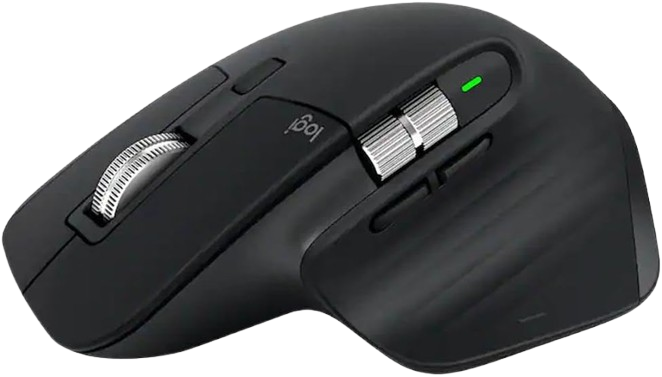
The MX Master 3S is the most complete wireless mouse here for productivity and everyday use. It combines a comfortable right-handed shape, quiet clicks, a MagSpeed scroll wheel, and dual wireless options for flexible desk setups.
Why we love it
Excellent ergonomic shape for long work sessions.
Quiet clicks keep it unobtrusive in shared spaces.
MagSpeed scrolling is fast and precise for documents and spreadsheets.
Supports Bluetooth and Logi Bolt for flexible connectivity.
Strong battery life and broad platform support make it easy to live with.
Watch out for
It is not ideal for competitive gaming.
The right-handed design limits versatility.
It is larger and heavier than many travel mice.
Best for: Power users, office work, and multi-device productivity.
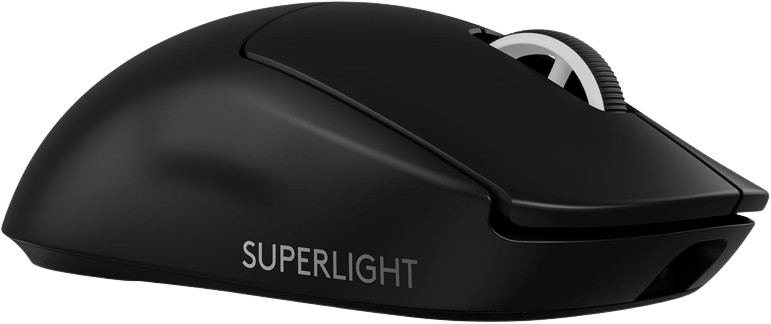
This is a top-tier wireless gaming mouse built for speed, consistency, and low weight. Its HERO 2 sensor, LIGHTSPEED wireless, and 8,000 Hz support make it a standout for serious competitive play.
Why we love it
Extremely light design helps reduce fatigue and supports fast aim changes.
HERO 2 sensor and high DPI ceiling deliver elite tracking capability.
LIGHTSPEED wireless is built for low-latency gaming.
Up to 8,000 Hz polling support is aimed at competitive use.
Clean, no-nonsense shape suits claw and fingertip grips well.
Watch out for
Premium pricing puts it above many mainstream options.
It may feel too minimal for users who want extra buttons.
The shape is best suited to gaming, not office ergonomics.
Best for: Competitive FPS players who want a lightweight, high-performance mouse.
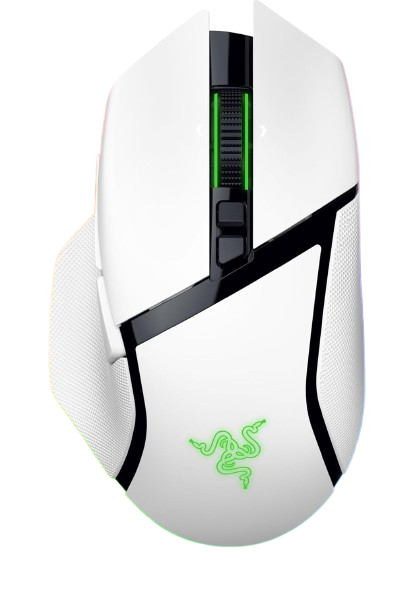
The Basilisk V3 Pro 35K is the feature-rich pick for users who want a premium wireless mouse with an ergonomic shape. It pairs a highly customizable button layout with a top-end sensor and a smart scroll wheel.
Why we love it
Right-handed ergonomic shape with a thumb rest improves comfort.
Highly customizable controls suit productivity and gaming.
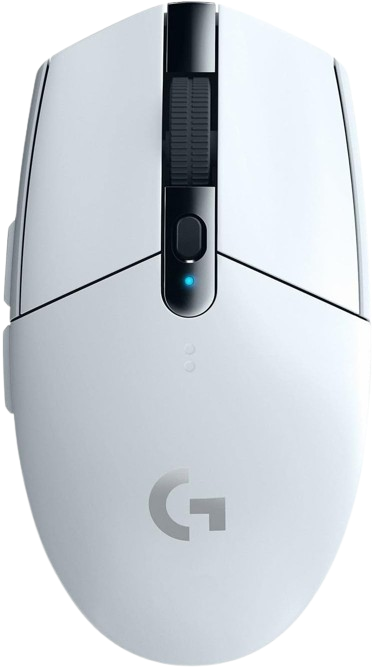
The G305 remains one of the smartest affordable wireless gaming mice you can buy. It offers dependable LIGHTSPEED wireless, a proven HERO sensor, and excellent battery life at a more approachable price.
Why we love it
Strong performance for the money.
LIGHTSPEED wireless has a good reputation for reliability.
HERO sensor is accurate enough for most gaming needs.
Excellent battery life from a single AA battery.
Simple shape makes it easy to recommend to many users.
Watch out for
It uses an AA battery instead of being rechargeable.
The design is basic compared with newer premium mice.
It can feel small for larger hands.
Best for: Budget-conscious gamers who want reliable wireless performance.
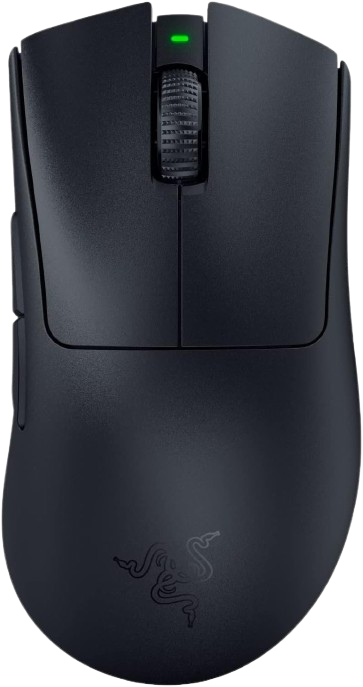
The DeathAdder V3 Pro is a refined ergonomic gaming mouse with a lighter body and a shape that many players find instantly comfortable. It delivers strong performance, excellent battery life, and a proven right-handed design.
Why we love it
Iconic ergonomic shape is comfortable for long sessions.
Lightweight design is well suited to fast aim movement.
Focus Pro sensor and HyperSpeed Wireless are built for serious gaming.
Very strong battery life at 1,000 Hz.
Clean button layout keeps the mouse focused on performance.
Watch out for
Right-handed only.
Fewer extras than more feature-rich productivity mice.
It may be too specialized for general office use.
Best for: Gamers who want a comfortable ergonomic shape without giving up speed.
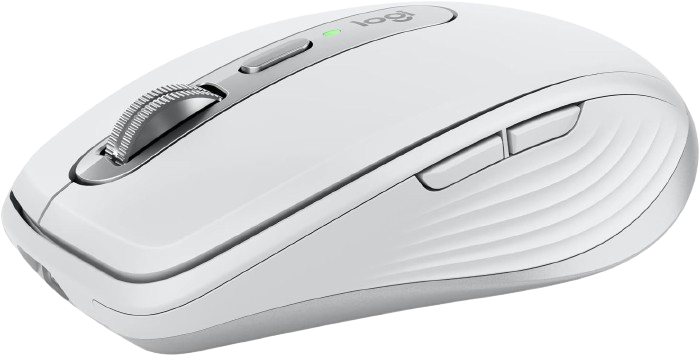
The MX Anywhere 3S is the most travel-friendly pick in this guide. Its compact size, quiet clicks, and any-surface tracking make it a practical mouse for laptops, coffee shops, and carry-on work kits.
Why we love it
Compact shape is easy to pack and carry.
Works well for mobile productivity.
Any-surface tracking is useful when desk space is limited.
Quiet clicks make it pleasant in public or shared spaces.
Bluetooth and receiver support add connection flexibility.
Watch out for
Smaller size may not suit large hands.
It is less comfortable for all-day desktop use than full-size mice.
Not designed for competitive gaming.
Best for: Travelers and laptop users who need a compact wireless mouse.
The Logitech MX Master 3S earns first place because it is the most balanced wireless mouse for the widest group of buyers. Its ergonomic shape is comfortable for long workdays, the quiet clicks are a real quality-of-life upgrade, and the MagSpeed scroll wheel is still one of the best productivity features in the category. It also offers flexible connectivity through Bluetooth and Logi Bolt, plus broad compatibility across major operating systems. While it is not the best choice for gaming, that is not what most buyers need from a wireless mouse. For work, browsing, multitasking, and everyday use, it delivers the best mix of comfort, features, and proven reliability.
How we picked
We selected these wireless mice by comparing manufacturer specifications, expert reviews, long-term user feedback, and feature sets across productivity, gaming, and travel use cases. We prioritized models that are widely available on Amazon US and have a history of consistently positive feedback rather than chasing short-term hype. Where possible, we favored mice with proven sensors, dependable wireless connections, practical battery life, comfortable shapes, and useful extras such as Bluetooth support, programmable buttons, or quiet clicks. We did not conduct personal hands-on testing; instead, we relied on spec sheets, professional coverage, and repeated user impressions to identify the most dependable options. That approach helps surface mice that are not only well-reviewed, but also suited to different budgets and workflows.
Frequently Asked Questions
For most users, the Logitech MX Master 3S is the best overall wireless mouse. It offers an ergonomic shape, quiet clicks, a MagSpeed scroll wheel, and flexible Bluetooth and Logi Bolt connectivity, making it ideal for productivity, office work, and multi-device setups.
Yes, modern wireless gaming mice are excellent for gaming. Models like the Logitech G Pro X Superlight 2, Razer DeathAdder V3 Pro, and Razer Basilisk V3 Pro 35K use low-latency wireless technologies (LIGHTSPEED, HyperSpeed) and high-performance sensors designed for competitive play.
Focus on comfort and ergonomics, reliable wireless connectivity (Bluetooth or 2.4 GHz USB receiver), battery life, sensor quality (DPI and tracking), and useful extras like programmable buttons, quiet clicks, or multi-device support. Your grip style and hand size should also influence the shape you choose.
Battery life varies by model and usage. Productivity mice like the Logitech MX Master 3S can last up to 70 days on a full charge, while gaming mice with high polling rates and RGB lighting often last 70–100 hours. Budget options like the Logitech G305 can run for around 250 hours on a single AA battery.
Most wireless mice work plug-and-play for basic functions like clicking, scrolling, and pointer movement. However, to access advanced features such as button programming, DPI adjustments, or RGB lighting control, you will need to install the manufacturer’s software (e.g., Logitech Options+, Razer Synapse).
Bluetooth is convenient for portability and multi-device use without a USB dongle, but it can have slightly higher latency. A 2.4 GHz wireless mouse with a USB receiver typically offers lower latency and a more stable connection, making it better for gaming and stationary desktop setups.