Best Ergonomic Mouse: 6 Comfortable Picks for Work and Gaming
The best ergonomic mouse can reduce strain without sacrificing speed or precision. This guide focuses on real, currently sold Amazon US models with strong comfort reputations and proven user feedback.
Some links on this page are affiliate links. If you buy through them, we may earn a commission at no extra cost to you.
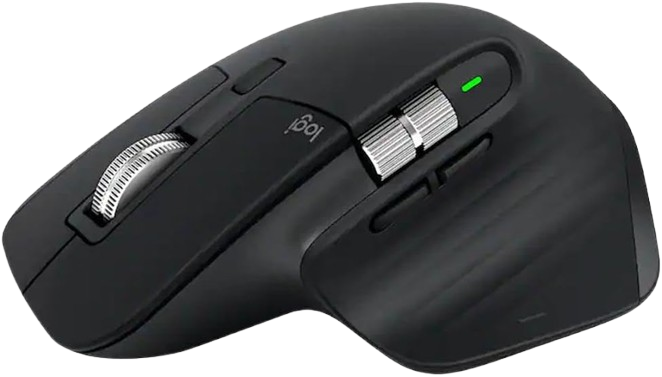
The MX Master 3S is the safest all-around choice for most people who want a premium ergonomic mouse for work. Its sculpted shape, thumb rest, quiet clicks, and fast scrolling make it especially strong for productivity-heavy use.
Why we love it
Sculpted right-handed design that supports a more natural wrist position.
Quiet Click buttons reduce noise without making the mouse feel dull.
Fast, precise scrolling is excellent for spreadsheets, documents, and web research.
Multi-device support makes switching between systems easy.
Strong long-term reputation across review sites and Amazon feedback.
Watch out for
It is right-handed only.
It is not the best pick if you want a true vertical grip.
Its premium price may be more than casual users need.
Best for: Power users who want one mouse for long work sessions, multitasking, and office productivity.
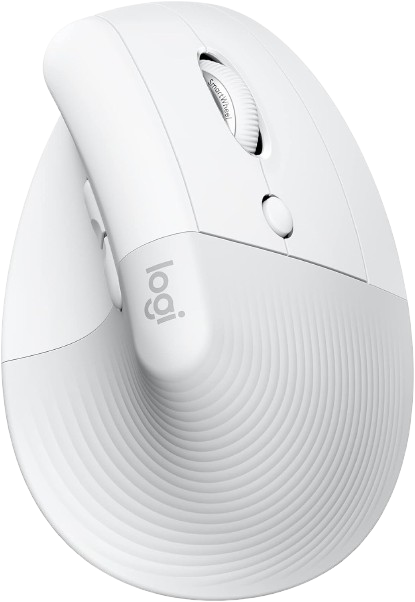
Lift is one of the easiest ergonomic upgrades for smaller hands and anyone who prefers a vertical mouse. Its 57-degree angle, quiet clicks, and compact shape make it a practical comfort-first pick for daily work.
Why we love it
Vertical design helps keep the forearm in a more natural position.
The 57-degree angle is a comfortable middle ground for first-time vertical mouse users.
Quiet clicks suit shared offices and home workspaces.
Bluetooth and USB receiver support add flexibility.
Long battery life makes it easy to use without frequent charging or battery swaps.
Watch out for
Small to medium hands will get the best fit.
The vertical shape can feel unfamiliar at first.
It does not offer the premium feature set of higher-end productivity mice.
Best for: Small to medium hands that need a vertical mouse for all-day office use.
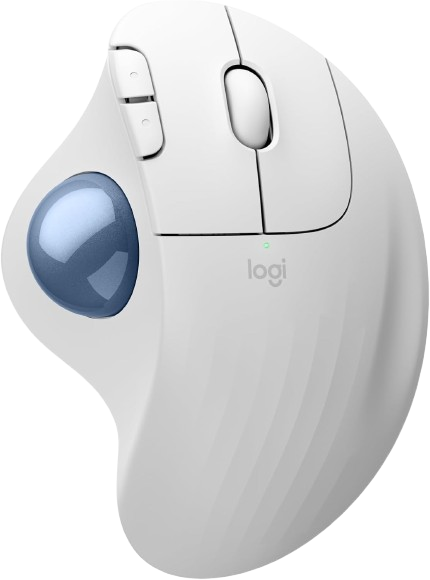
The ERGO M575S is a smart choice if you want to reduce arm movement without paying premium prices. Its thumb-operated trackball and sculpted support are especially appealing for tight desks or repetitive work.
Why we love it
Thumb control lets you move the cursor without moving your arm.
Sculpted shape supports the hand and forearm well.
Great for reducing movement on small desks or cluttered workstations.
Wireless connectivity keeps the setup simple.
Strong ergonomic reputation in current product coverage.
Watch out for
Trackballs have a learning curve if you are used to standard mice.
It is less ideal for fast precision gaming.
Thumb-driven controls may not suit every hand preference.
Best for: Users who want a comfort-first trackball for desk setups with limited space.
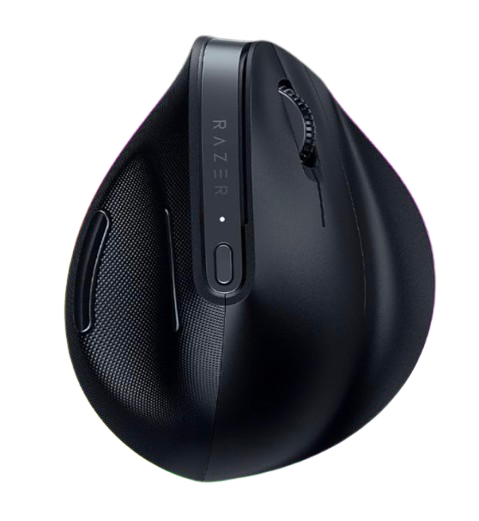
Razer’s vertical productivity mouse stands out because it blends an ergonomic shape with higher-end connectivity and advanced customization. It is a strong option for people who want a vertical mouse that still feels modern and feature-rich.
Why we love it
Vertical 6-button layout supports a more natural hand position.
Multi-device connectivity is useful for mixed-device setups.
Razer Synapse adds deep customization for buttons and workflows.
High-precision sensor performance is a plus for demanding users.
It has a growing reputation in current expert coverage.
Watch out for
The shape is right-handed only.
It is a premium purchase versus mainstream vertical mice.
Extra software is needed to unlock advanced features.
Best for: Users who want a premium vertical mouse for work and light gaming.
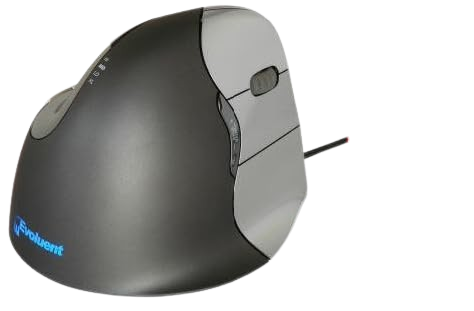
Evoluent is one of the original names in vertical mice, and the VerticalMouse 4 remains a specialized comfort option. Its upright handshake posture is designed for users who want maximum forearm rotation reduction.
Why we love it
The handshake posture helps avoid forearm twisting.
The sculpted shape is purpose-built for ergonomic comfort.
It is a well-known specialist option with long-running recognition.
Useful for users who prefer a more pronounced vertical angle.
Strong fit for long office sessions where comfort matters more than speed.
Watch out for
It is right-handed only in the main configuration.
The shape can feel unusually tall at first.
It is not the most versatile pick for casual buyers.
Best for: Right-handed users who want a classic vertical mouse with a strong ergonomic pedigree.
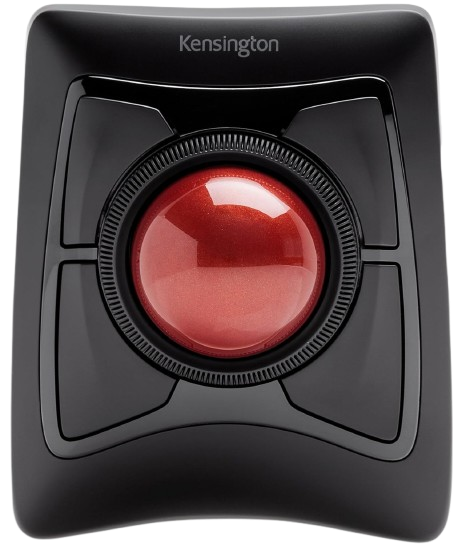
The Kensington Expert Mouse is a large-format trackball that minimizes arm movement while keeping cursor control precise. It is especially attractive for users who value stable placement and a big, desktop-friendly control surface.
Why we love it
Trackball control reduces the need for repetitive arm motion.
Bluetooth and USB receiver options improve flexibility.
Ambidextrous design is useful for a wider range of users.
The large ball and base make cursor control feel stable.
A strong fit for productivity setups where movement reduction is the priority.
Watch out for
Trackball control takes adjustment if you are new to it.
The large footprint may not suit compact desks.
It is more specialized than a standard ergonomic mouse.
Best for: Desk-bound users who want a large trackball for comfort and precision.
Logitech MX Master 3S takes the top spot because it strikes the best balance of comfort, refinement, and everyday usability. Its sculpted shape feels natural for long sessions, the thumb rest and button layout are genuinely practical, and the quiet clicks and fast scrolling make it easier to stay productive without irritation. It is also one of the most proven ergonomic mice on the market, with broad praise from reviewers and strong long-term user feedback. While vertical mice can be better for some wrist issues, the MX Master 3S is the most universally useful option for most buyers, which is why it earns Best Overall.
How we picked
We selected these mice by comparing manufacturer specifications, professional reviews, long-term user feedback, and feature sets across the current Amazon US marketplace. Priority went to models with consistently positive reputations for comfort, build quality, battery life, scroll feel, button layout, and overall usability in office and hybrid workflows. We also looked for designs that serve different hand sizes and grip styles, including traditional sculpted mice, vertical mice, and trackballs. Because comfort is personal, the list balances broad all-around picks with specialized options for vertical posture, reduced arm movement, and premium productivity use. Recommendations are based on documented product details and third-party reviews rather than personal hands-on testing.