The best laptop stand for a home office should elevate the screen without making the desk unstable or uncomfortable. Rain Design's iLevel 2 is the most reliable overall option, as its front slider makes height adjustment incredibly easy. Lamicall offers more flexible positioning and easy folding at a lower price. Lifelong's UPRYZE is better suited for tall users and standing work, while Twelve South's Curve Flex adds premium portability and design. For a basic fixed-height stand, the SOUNDANCE LS1 is a practical, budget-friendly alternative.
Some links on this page are affiliate links. If you buy through them, we may earn a commission at no extra cost to you.
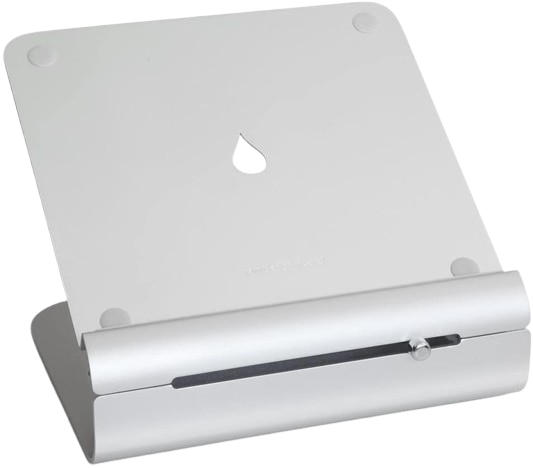
The Rain Design iLevel 2 is a solid anodized-aluminum stand with a front slider that raises or lowers the laptop while changing its viewing angle. Official specifications list a 5.4- to 7.9-inch height range, while independent evaluation found roughly 6.5 to 8.5 inches depending on laptop depth.
Why we love it
The front slider makes height changes faster and simpler than the hinge-based mechanisms used by many adjustable stands.
Its height range suits a wide range of seated home-office positions.
The broad aluminum base remained stable with laptops ranging from compact models to heavier 15-inch notebooks in independent evaluation.
The tilted, open design encourages airflow beneath the laptop, while the rear opening helps route cables.
Its polished construction looks appropriate on a permanent desk and leaves room underneath for a keyboard.
Watch out for
The stand does not fold, so it is better for a permanent desk than commuting or travel.
Its maximum height may be insufficient for tall users or frequent sit-stand work.
Height and keyboard angle are linked, so raising the screen also creates a steeper typing surface.
Best for: Best for most home-office users who want a stable, premium stand with exceptionally easy seated-height adjustment.
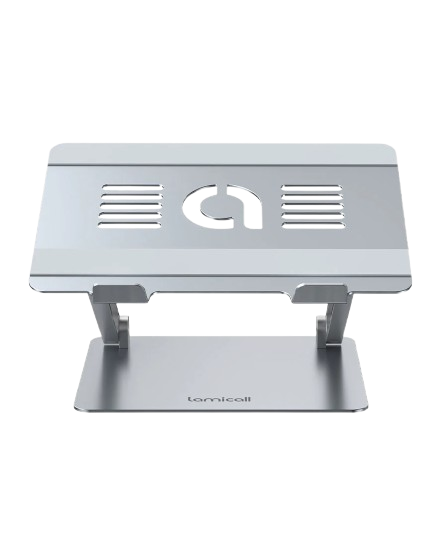
This foldable aluminum stand offers independent height and angle adjustment, a ventilated laptop platform, and broad compatibility with laptops from approximately 10 to 17.3 inches. Its combination of adjustability, portability, and lower pricing makes it a strong alternative to more expensive premium stands.
Why we love it
Height and angle can be tuned for different chairs, desks, users, and external monitors.
The large top platform and long rubber grips help keep compatible laptops positioned securely.
Ventilation openings leave more of the laptop base exposed than a solid platform would.
The dual-folding design is easier to store or carry than fixed desktop stands.
It supports a broad range of common Windows laptops, MacBooks, Chromebooks, and larger notebooks.
Watch out for
Taller settings are better paired with an external keyboard because the elevated laptop keyboard can strain the wrists.
The stand is more portable than a fixed riser but still substantially heavier and bulkier than ultra-light travel designs.
Check the laptop’s depth, thickness, and weight before buying, especially with large gaming notebooks.
Best for: Best for buyers who want broad adjustability and foldable convenience without paying premium fixed-stand pricing.
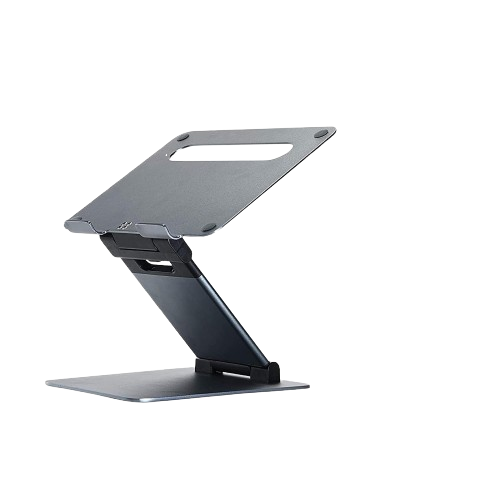
The UPRYZE is a tall, articulated aluminum stand designed for seated and standing work. It is marketed to reach 20 inches, but an independent evaluation measured a practical maximum closer to 17 inches, which is still substantially taller than most desktop risers.
Why we love it
Its tall range is useful for sit-stand desks, taller users, and presentation-style setups.
Independent evaluation found it stable with a laptop weighing up to 7 pounds, provided it was adjusted carefully.
Separate height and angle adjustments allow more precise positioning than fixed risers.
It folds for storage when the desk needs to be cleared.
The wide platform and large base provide a more substantial foundation for heavier laptops.
Watch out for
The stiff hinges can make frequent height changes difficult.
Do not assume the advertised 20-inch height will equal a 20-inch screen lift in your setup; independent measurements were lower.
At maximum height, forceful typing or desk bumps can make the stand less stable, so an external keyboard and mouse are preferable.
Best for: Best for home offices that alternate between seated and standing work or need extra height for a taller user.
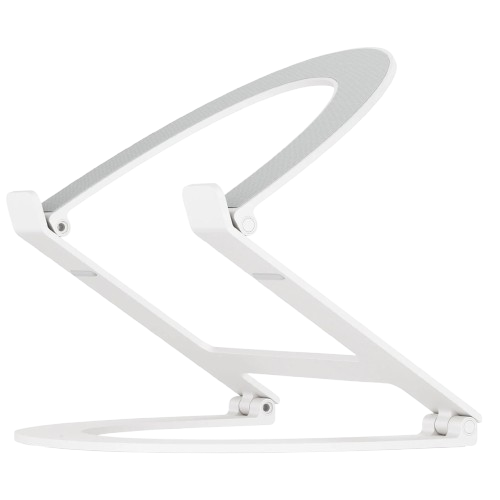
The Curve Flex is a premium aluminum stand that adjusts from a low desktop wedge to a high eye-level position and folds flat for transport. The manufacturer specifies up to 22 inches of camera elevation, a keyboard-angle range of 0 to 45 degrees, and a protective travel sleeve.
Why we love it
Height and angle adjustment make it suitable for desk work, video calls, and dual-screen arrangements.
Its fold-flat design is much easier to pack than fixed aluminum stands.
The included sleeve adds useful protection for hybrid work and occasional travel.
Aluminum construction gives it a more refined appearance than many generic folding risers.
It supports laptops from about 10 to 17 inches and up to 7 pounds according to the product listing.
Watch out for
The hinges may need tension adjustment with the included tool before the stand reliably supports a heavier laptop.
Independent evaluation found that the silicone grips provide less resistance to sliding than the best competing stands.
It costs more than basic fixed risers and remains relatively substantial when packed.
Best for: Best for style-conscious home-office users who want a height-adjustable stand that can also travel.
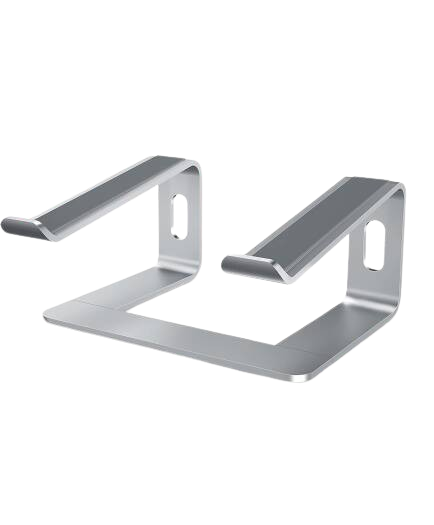
The SOUNDANCE LS1 is a fixed-height aluminum riser that lifts compatible laptops by approximately 6 inches and leaves open space beneath the computer. It fits laptops from about 10 to 15.6 inches and is designed as a simple, affordable desktop stand rather than a highly adjustable workstation accessory.
Why we love it
The fixed design avoids hinge movement and can feel steadier than inexpensive adjustable stands.
Its open construction allows airflow around more of the laptop’s underside.
The space beneath the riser can hold a keyboard or help keep a small desk organized.
The aluminum structure offers a more substantial feel than lightweight plastic risers.
It is suitable for common 13-, 14-, and 15.6-inch laptops within its size and weight limits.
Watch out for
The fixed height and angle cannot be customized for different users or desk heights.
It is not the right choice for most 16- or 17-inch laptops.
Independent evaluation reported inconsistent assembly fit and rough edge concerns with one tested unit, so inspect the stand carefully during setup.
Best for: Best for budget-conscious users who want a straightforward fixed riser for a standard home-office laptop.
The Rain Design iLevel 2 stand deserves first place because it combines the qualities most important for a stationary home office: reliable stability, convenient height adjustment while sitting, high compatibility, effective ventilation, and ease of use in everyday life. Its front slider is easier to use than the rigid multi-hinge mechanisms found on many adjustable stands, allowing users to precisely adjust the screen height without constantly lifting the laptop. Its anodized aluminum construction and wide base also give it a more solid look than inexpensive folding stands. Its main drawbacks are its non-folding design and maximum height, which may not be suitable for tall users or those working at standing desks. However, for most people working at a regular desk, these compromises are less important than the iLevel 2's ease of adjustment and stable stability. It is most effective when paired with a separate keyboard and mouse, allowing you to position the screen and work surface at a more comfortable height.
How we picked
These laptop stands were selected based on independent, research-based product analysis. This process included reviewing manufacturer specifications, official product information, independent professional product evaluations, long-term user reviews, and community discussions, as well as comparing compatibility, height adjustment, stability, ventilation, portability, reliability, ease of use, and value for money. We prioritized products with verified availability and reliable information from multiple sources rather than relying on a single review or individual user opinion. Independent evaluations comparing multiple stands were particularly helpful for assessing smoothness of adjustment, typing stability, installation difficulty, and practical limitations. Manufacturer information was used to verify materials, dimensions, supported laptop sizes, adjustment ranges, and included accessories. Where published specifications differed, we favored the more conservative values or clearly indicated the difference rather than presenting the most optimistic statement as fact. The final scores reflect the overall balance of ergonomic usefulness, design, compatibility, comfort, and likely long-term value for a home office. Ergonomic considerations also influenced our choices of screen height, viewing angle, and whether to use a separate keyboard and mouse for extended work.
Frequently Asked Questions
Start by measuring how far the laptop screen needs to rise for the top of the display to sit at or slightly below eye level. Then check the stand’s supported laptop size, weight limit, base width, height range, and whether it provides enough clearance for ventilation. Adjustable models are generally more adaptable, while fixed stands can be simpler and steadier.
For extended typing, usually yes. Raising the screen to a comfortable height also raises the built-in keyboard, which can force the shoulders and wrists into an awkward position. A separate keyboard and mouse let you keep the screen elevated while placing your hands closer to elbow height.
An adjustable stand is better when the workstation is shared, the desk changes height, or you alternate between sitting and standing. A fixed stand can be the better choice when one person uses the same desk every day and wants maximum simplicity. Fixed designs also tend to have fewer moving parts.
A stand can improve airflow by lifting the laptop away from the desk and exposing more of its underside, but it is not a guarantee against overheating. Make sure the stand does not block the laptop’s intake or exhaust vents. For demanding workloads, monitor the computer’s temperatures and follow the manufacturer’s cooling requirements.
Compare the laptop’s actual width, depth, thickness, and weight with the stand’s published limits. Screen size alone is not enough because two laptops with the same diagonal display can have different chassis dimensions. Be especially careful with thick gaming laptops and 16- or 17-inch models.
A premium stand can be worthwhile if it stays on your desk every day and offers smoother adjustment, stronger construction, better cable handling, or a more reliable fit. For occasional use, a simpler fixed or foldable stand may provide most of the practical benefit. The best value depends more on your required height and portability than on the material alone.