Home›Other›Best Monitor Light Bars for a Better Desk Setup
Other
Best Monitor Light Bars for a Better Desk Setup
An LED monitor panel can illuminate your desk without taking up valuable workspace or shining light directly onto the screen. The best models use asymmetrical optics to direct light onto the keyboard, documents, and desktop while minimizing screen glare. Premium options add backlighting, wireless control, automatic dimming, and broader monitor compatibility. More affordable models also offer adjustable color temperature, dimming, and secure clip-on mounting. This guide compares five widely available LED monitor panels suitable for office work, gaming, studying, and creative projects.
Some links on this page are affiliate links. If you buy through them, we may earn a commission at no extra cost to you.
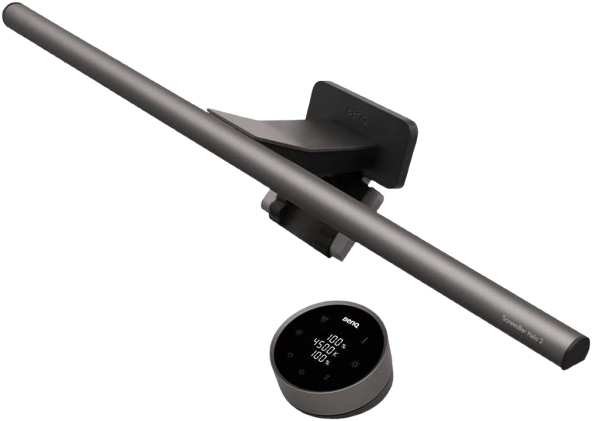
The ScreenBar Halo 2 combines asymmetric front lighting with a tri-zone rear light designed to reduce the contrast between a bright display and a dark room. It supports flat and curved monitors, includes a wireless controller, and offers automatic brightness adjustment and presence sensing.
Why we love it
Wide 500-lux coverage across an 85 × 50 cm workspace.
Tri-zone rear lighting adds useful ambient illumination behind the monitor.
Wireless controller makes brightness and color adjustments convenient.
Supports 2700K–6500K color temperature adjustment.
Fits monitors from 0.43–6 cm thick and curved displays rated from 1000R to 1800R.
Watch out for
It costs substantially more than basic front-light-only bars.
The rear light is less useful when the monitor sits directly against a wall.
Motion sensing may switch the light off after five minutes without significant movement.
Best for: Buyers seeking the most complete monitor-lighting system for long work, study, or creative sessions.
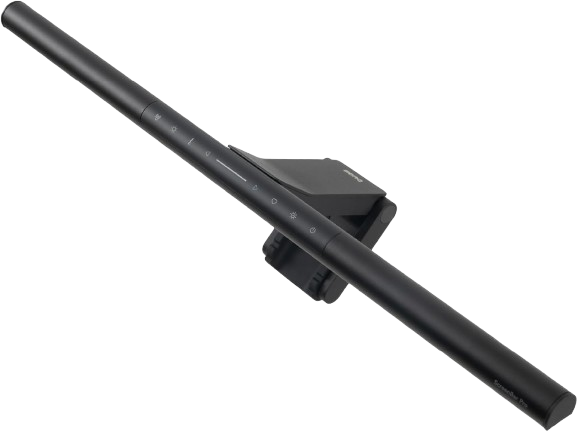
The ScreenBar Pro is a premium front-light-only model focused on broad, even desk illumination and automatic operation. It provides 500-lux coverage across an 85 × 50 cm area, supports curved monitors, and includes a webcam mounting accessory.
Why we love it
Delivers more than 1000 lux of stated center illumination.
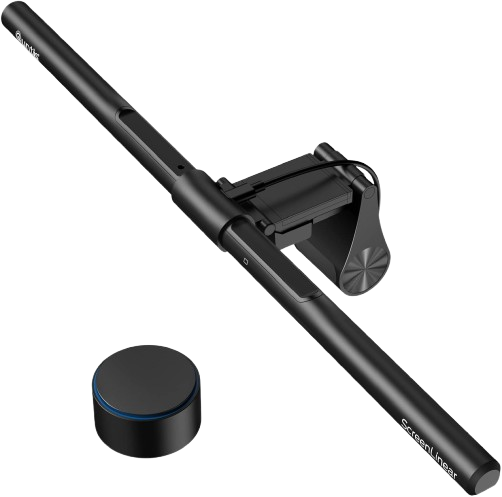
The Quntis ScreenLinear PRO+ offers many premium conveniences at a lower tier, including a wireless smart dial, auto-dimming, stepless adjustment, and a two-hour timer. Its weighted clip is designed for flat and curved monitors from 0.12–2.36 inches thick.
Why we love it
Includes a wireless controller with separate brightness and color adjustment.
Supports stepless dimming rather than only fixed brightness levels.
Offers 3000K–6500K color temperature adjustment.
Includes an ambient-light sensor for automatic dimming.
The weighted clip supports many flat and curved monitor designs.
Watch out for
The official specifications do not state a comparable lux coverage figure.
It provides front desk lighting rather than a full rear bias-light system.
The remote requires a separately available AAA battery according to the product documentation.
Best for: Buyers who want premium-style controls and curved-monitor support without paying for a flagship model.
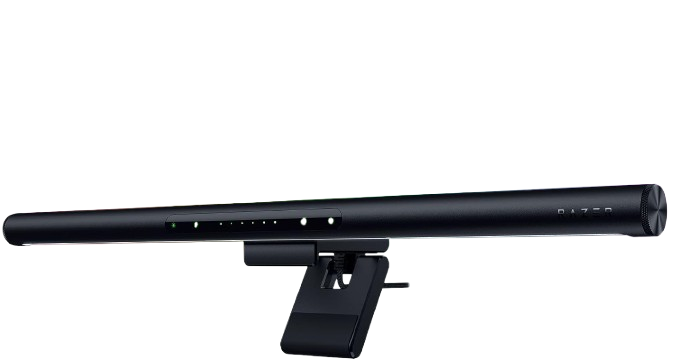
The Razer Aether adds a rear-facing Chroma RGB system to adjustable white front lighting, making it one of the most gaming-focused monitor bars available. It supports app, desktop software, voice-assistant, and Matter-based smart-home control, although independent evaluation has noted that the software setup can be more complex than the hardware controls.
Why we love it
Combines adjustable white task lighting with rear Chroma RGB.
Offers 2700K–6500K white-light adjustment.
Provides stated 900-lux illumination and 60 × 30 cm coverage above 500 lux.
Supports Matter, voice assistants, and 2.4 GHz Wi-Fi.
Fits monitors from 5–45 mm thick.
Watch out for
App and software setup is more involved than on simpler USB bars.
RGB effects add atmosphere but do not replace neutral task lighting.
Its 10 W power rating is higher than the simpler models in this guide.
Best for: Gamers who want useful forward lighting plus synchronized RGB ambience around the monitor.
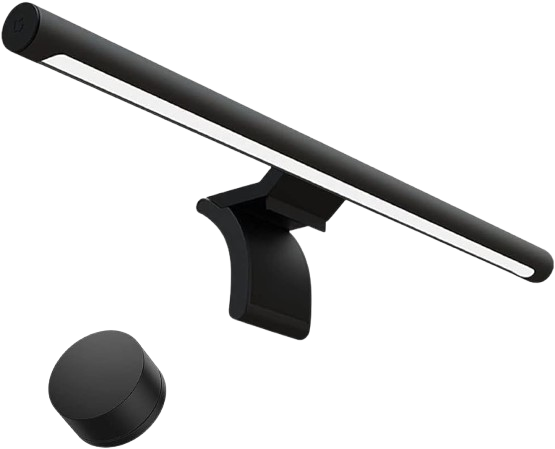
The Mi Computer Monitor Light Bar is a compact, minimalist option with a metal body, magnetic rotating mount, wireless remote, and adjustable 2700K–6500K color temperature. Its 448 mm bar and low 5 W rated power suit straightforward office, study, and small-desk setups.
Why we love it
Wireless remote keeps controls away from the monitor.
Magnetic mounting allows quick installation and angle adjustment.
Broad 2700K–6500K color-temperature range.
Compact design preserves desk space.
Low 5 W rated power suits simple USB-powered setups.
Watch out for
It is specified for monitors up to 32 mm thick.
Very thin displays under 10 mm may need manual support while adjusting the bar.
It lacks automatic presence sensing and a dedicated rear bias-light system.
Best for: Budget-conscious users who want a clean, wireless, space-saving monitor light for a standard flat display.
The BenQ ScreenBar Halo 2 deserves the top spot because it offers the best combination of glare protection, desktop coverage, ambient light, adjustment range, and monitor compatibility. Its asymmetrical front optics direct light onto the work surface, while a three-zone rear system helps balance the visual contrast between the display and its surroundings. The wireless controller is more convenient for frequent adjustments than the touch controls on the bar, while the auto-dimming and presence sensor reduce the need for routine manual adjustments. Support for 2700K–6500K illumination, monitor thicknesses from 0.43–6cm, and curvature radiuses from 1000R–1800R make it suitable for a wide range of configurations. Independent reviews also rank it among the best premium options, and community reviews consistently praise its backlighting and glare protection.
How we picked
For this selection, we selected products from reputable manufacturers and monitor backlight models with clear manufacturer documentation and widespread availability online. We compared official specifications for optical design, brightness, color temperature, color rendering, glare control, mounting range, power requirements, controls, sensors, and backlighting. Each candidate was then reviewed by independent professional evaluators, who considered lighting features, setup, ergonomics, software, and value for money, as well as owner reviews and community discussions to identify recurring compatibility or durability issues. Recommendations prioritize features verified by multiple sources over individual ratings or marketing claims. Where specifications differed, we prioritized the most recent official documentation and treated unverified claims with caution. Ratings reflect the balance of lighting quality, ease of use, compatibility, reliability, and value for money for the intended buyer. Particular attention was paid to asymmetrical, glare-free optics, practical adjustment range, stable mounting, and the ability to illuminate a desk without compromising workspace. The final list included premium, mid-range, budget, office, and gaming options, allowing readers to choose the right backlight for their monitor and priorities.
Frequently Asked Questions
Prioritize asymmetric optics, adjustable brightness, a useful color-temperature range, and a stable clip that matches your monitor’s thickness. Automatic dimming, a wireless controller, high color rendering, and rear lighting are helpful extras, but they usually increase the cost.
A properly designed bar should direct most of its light toward the desk rather than the display. Even with asymmetric optics, installation angle matters, so adjust the lamp head and brightness until reflections disappear from dark parts of the screen.
Some do, but compatibility depends on both the monitor’s thickness and its curvature rating. Check the manufacturer’s fit range before buying, especially if the display has a deep rear housing, narrow top edge, or an unusually curved panel.
A monitor light bar uses less desk space and can place light directly over the keyboard and documents. A desk lamp may provide broader room illumination and more flexible positioning, so a light bar is best when workspace efficiency and screen-glare control are the priorities.
No. Front lighting is enough for illuminating the desk, while rear lighting mainly adds ambient illumination behind the monitor and can soften the contrast between the screen and a dark wall. The Halo 2 and Aether offer rear lighting, while the ScreenBar Pro, Quntis PRO+, and Xiaomi model focus mainly on the work surface.
They can be worthwhile for users who spend many hours at a desk and want better controls, broader coverage, stronger mounting compatibility, or rear lighting. If those features are not important, the Quntis or Xiaomi models provide a more economical way to add adjustable desk illumination.