Home›Other›Best USB-C Hubs and Docks of 2026: Top Picks for …
Other
Best USB-C Hubs and Docks of 2026: Top Picks for Every Setup
USB-C hubs and docking stations transform modern laptops into full-featured workstations by adding essential ports like HDMI, USB-A, Ethernet, and SD card readers. The best options provide reliable video output, fast data transfer, and enough power to charge your laptop via a single cable. The selection ranges from compact portable hubs under $50 to premium Thunderbolt 5 docking stations over $400 for professional systems. Compatibility depends on the laptop's chipset, especially for multi-monitor setups on Mac computers with Apple Silicon processors. This guide explores the best USB-C hubs and docking stations for different budgets and use cases, with verified specifications and user reviews.
Some links on this page are affiliate links. If you buy through them, we may earn a commission at no extra cost to you.
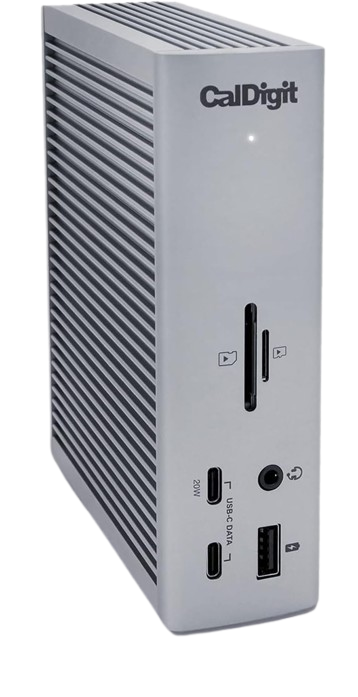
The CalDigit TS4 is a premium 18-port Thunderbolt 4 docking station offering unmatched connectivity for professionals. It features three downstream Thunderbolt 4 ports, dual 6K display support, 98W laptop charging, and 2.5Gb Ethernet in a compact aluminum chassis.
Why we love it
18 total ports including 3 Thunderbolt 4 downstream ports for maximum flexibility
Supports dual 6K displays or triple 4K setups on compatible systems
98W power delivery charges MacBook Pro and high-performance Windows laptops
2.5Gb Ethernet provides faster network speeds than standard Gigabit docks
SD 4.0 and microSD card readers support UHS-II speeds up to 312 MB/s
Watch out for
Premium price point may be excessive for basic home office setups
Requires Thunderbolt 4 or USB4 host for full functionality
Large footprint takes up significant desk space
Best for: Professionals and power users who need maximum port density and dual high-resolution monitor support.
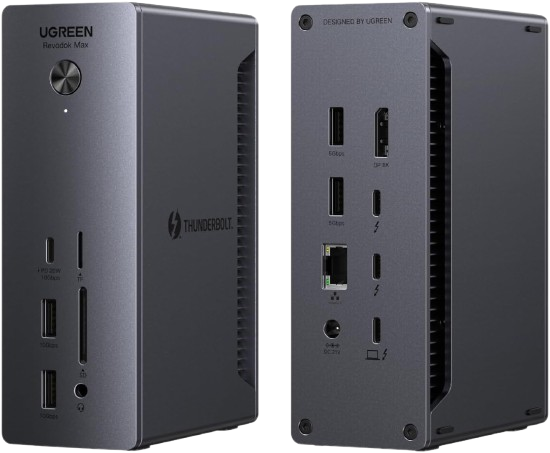
The UGREEN Revodok Max 213 is a 13-in-1 Thunderbolt 4 docking station that delivers premium features at a more accessible price. It includes dual Thunderbolt 4 downstream ports, 2.5Gb Ethernet, DisplayPort 1.4, and comprehensive USB connectivity.
Why we love it
13 ports provide excellent connectivity including 2 Thunderbolt 4 downstream ports
Supports dual 4K@60Hz displays or single 8K@30Hz output
90W power delivery handles most laptops including 14-inch MacBook Pro
2.5Gb Ethernet and SD/microSD card readers add professional-grade features
More affordable than competing Thunderbolt 4 docks with similar specs
Watch out for
Bulky design may not suit minimalist desk setups
Some users report fan noise under heavy load
macOS dual-display support limited to M1 Pro/Max or later chips
Best for: Users seeking Thunderbolt 4 performance and dual-monitor support without paying premium prices.
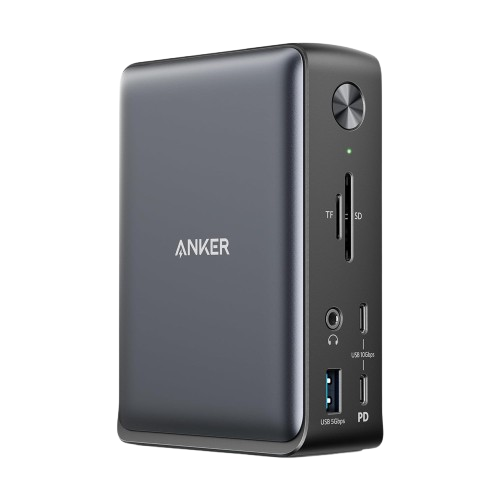
The Anker 575 is a versatile 13-in-1 USB-C docking station that works with both Thunderbolt and standard USB-C laptops. It features dual video outputs, 85W power delivery, Gigabit Ethernet, and comprehensive USB connectivity.
Why we love it
13 ports including HDMI, DisplayPort, and multiple USB-A/USB-C options
85W power delivery charges most laptops while powering peripherals
Dual video output supports extended desktop on compatible systems
Front-facing USB-C and USB-A ports for quick accessory access
Reliable performance across Windows, Mac, and Chromebook platforms
Watch out for
Not Thunderbolt certified, limiting bandwidth for high-speed peripherals
Dual 4K display support requires DisplayLink drivers on some systems
Gigabit Ethernet instead of faster 2.5Gb option
Best for: Office workers and remote professionals who need reliable multi-monitor support without Thunderbolt requirements.
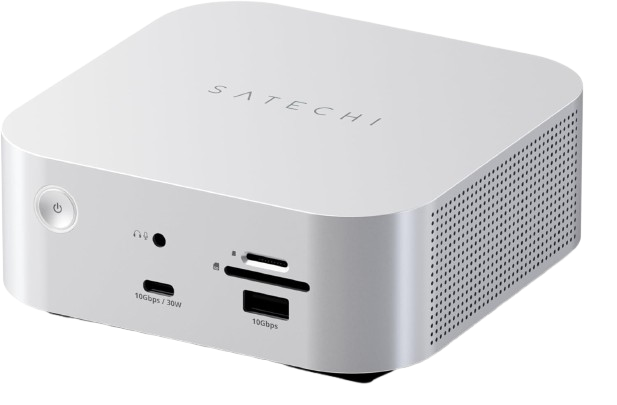
The Satechi Thunderbolt 5 CubeDock combines cutting-edge 120Gbps Thunderbolt 5 connectivity with a compact Mac mini-inspired design. It features four Thunderbolt 5 ports, built-in M.2 SSD enclosure, and 140W power delivery.
Why we love it
Thunderbolt 5 provides up to 120Gbps bandwidth for future-proof connectivity
Four Thunderbolt 5 ports support multiple high-speed peripherals and displays
Built-in M.2 NVMe SSD enclosure adds fast internal storage expansion
140W power delivery handles even the most power-hungry laptops
Compact cube design matches Apple aesthetic and saves desk space
Watch out for
Premium pricing reflects early Thunderbolt 5 adoption costs
Requires Thunderbolt 5 host laptop to unlock full bandwidth
SSD enclosure requires separate M.2 drive purchase
Best for: Early adopters and Mac users who want the latest Thunderbolt 5 technology with integrated storage.
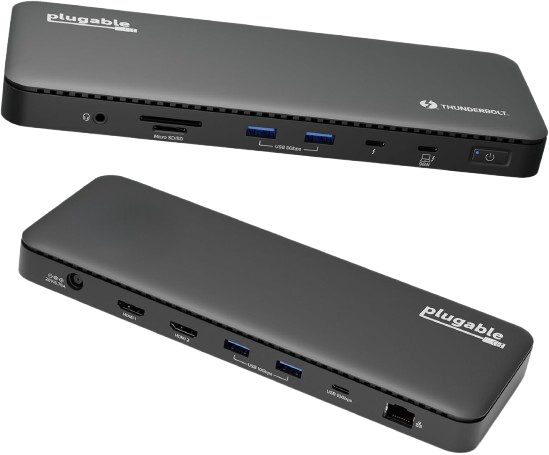
The Plugable TBT4-UD5 is a driverless Thunderbolt 4 dock offering native dual 4K@60Hz support on Mac and Windows. It features 13 ports including dual HDMI outputs, 96W certified charging, and Gigabit Ethernet.
Why we love it
Native dual 4K@60Hz support on M1 Pro/Max and later MacBook models
13 ports include dual HDMI, Thunderbolt 4 downstream, and multiple USB options
96W certified power delivery safely charges MacBook Pro without issues
No DisplayLink drivers required for plug-and-play simplicity
Competitive pricing among Thunderbolt 4 docks
Watch out for
Gigabit Ethernet instead of 2.5Gb option
Plastic chassis feels less premium than aluminum competitors
Limited to dual displays even on high-end systems
Best for: MacBook Pro users who need native dual 4K display support without driver complications.
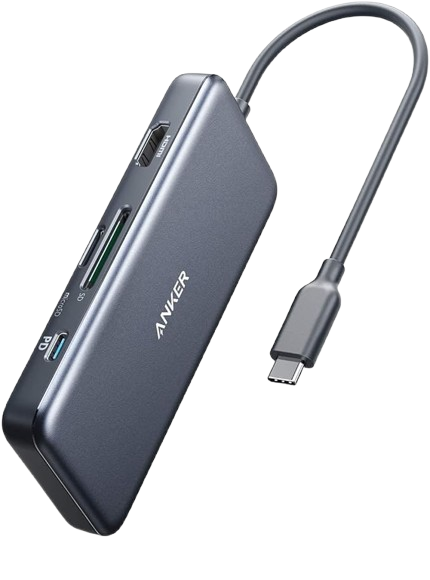
The Anker 341 is a compact 7-in-1 USB-C hub perfect for travel and everyday use. It features 4K HDMI output, 100W power delivery passthrough, dual USB-A ports, and SD/microSD card readers in a lightweight aluminum design.
Why we love it
7 essential ports cover most everyday connectivity needs
100W power delivery passthrough charges laptop while using hub
4K HDMI output supports external monitors and projectors
Compact aluminum design is durable and travel-friendly
Excellent value under $50 with reliable Anker build quality
Watch out for
Single HDMI output limits to one external display
USB ports limited to 5Gbps speeds
No Ethernet port for wired network connections
Best for: Students, travelers, and casual users who need basic port expansion on a budget.
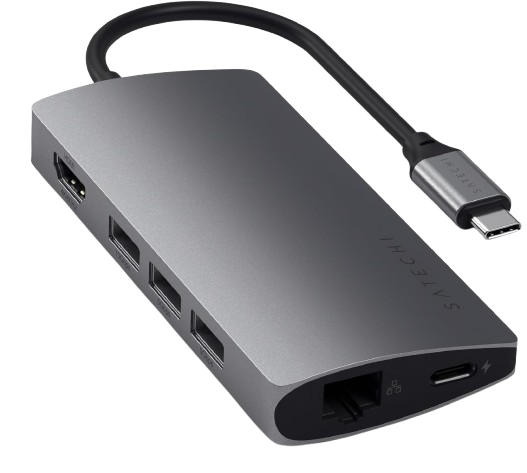
The Satechi USB-C Multiport Adapter V2 is a sleek 8-in-1 hub designed specifically for MacBook users. It features 4K@60Hz HDMI, Gigabit Ethernet, three USB-A ports, USB-C power delivery, and SD/microSD card readers.
The CalDigit TS4 Docking Station earns our "Best Overall" award because it offers the most comprehensive connectivity solution available in 2026. Its 18 ports include three Thunderbolt 4 downstream connections, allowing users to daisy-chain additional Thunderbolt devices or displays without sacrificing bandwidth. The dock supports two 6K display configurations or three 4K display configurations, making it ideal for professionals working with high-resolution content. With 98W of power, it charges even the most demanding laptops while powering all connected peripherals. The inclusion of 2.5 Gigabit Ethernet, UHS-II SD card readers, and a 3.5mm audio jack means users rarely need additional adapters. While the high price reflects its professional capabilities, the TS4's reliability, firmware stability, and universal compatibility with Mac, Windows, and Chromebook platforms make it a worthwhile investment for anyone building a serious workstation.
How we picked
Our recommendations are based on extensive research into manufacturer specifications, expert reviews from professional technology publications, long-term user feedback, and detailed feature comparisons. We analyzed port configurations, power options, display limitations, data transfer speeds, and build quality across dozens of models. Products were evaluated for compatibility with major laptop platforms, including MacBook Pro/Air, Windows Ultrabooks, and Chromebooks. We prioritized devices with consistently positive reviews for reliability, thermal performance, and firmware stability. Rather than relying on personal testing, we synthesized information from multiple authoritative sources to identify products that provide the best combination of features, performance, and price for a variety of user needs.
Frequently Asked Questions
Focus on port count and types that match your peripherals, power delivery wattage for laptop charging, and display output capabilities. Thunderbolt 4 docks offer the best bandwidth and compatibility but cost more. Verify your laptop supports the dock's features, especially for multi-monitor setups on Apple Silicon Macs where M1 base chips only support one external display.
USB-C hubs are budget-friendly options with basic ports like HDMI, USB-A, and card readers, typically supporting 5-10Gbps speeds. Thunderbolt docks provide 40Gbps (TB4) or 120Gbps (TB5) bandwidth, enabling multiple high-resolution displays, faster data transfer, and daisy-chaining capabilities. Thunderbolt docks cost significantly more but offer professional-grade performance.
Yes, but the base M1 MacBook Air only supports one external display natively, regardless of hub capabilities. Multi-port hubs work fine for USB-A devices, SD cards, and charging, but connecting multiple monitors requires DisplayLink technology or upgrading to M1 Pro/Max or M2/M3 models. Thunderbolt hubs are compatible but may be overkill for basic needs.
If you regularly transfer large files over your network or use a 2.5Gb+ internet connection, the upgrade is worthwhile for noticeably faster speeds. For typical office work, web browsing, and video calls, standard Gigabit Ethernet is sufficient. Consider your network infrastructure and usage patterns before deciding.
Docks with many ports, high-wattage laptop charging, or multiple displays need more power than USB-C can provide. External power adapters ensure stable operation and prevent laptop battery drain. Compact hubs without power adapters rely on laptop power, limiting their capabilities to basic port expansion.
Thunderbolt 5 docks are future-proof but currently expensive and require compatible laptops to unlock full 120Gbps bandwidth. If you have a Thunderbolt 4 or USB4 laptop, Thunderbolt 5 docks work but operate at reduced speeds. Wait if you're on a budget or your current setup doesn't need the extra bandwidth; buy now if you're building a cutting-edge workstation.